



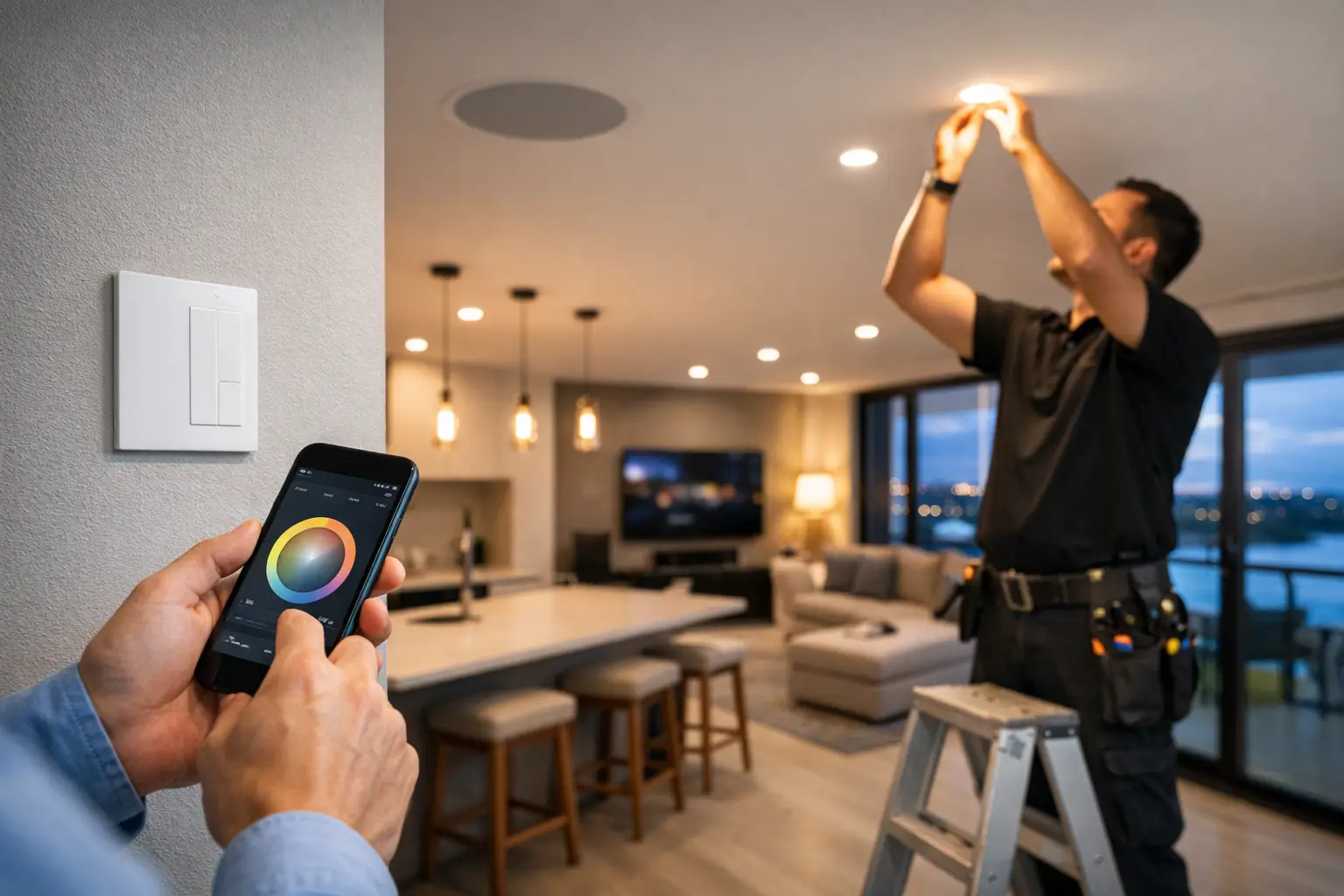
The problem with most lighting upgrades is not the fixtures. It is the control layer behind them. If you are figuring out how to retrofit smart lighting in an existing home, apartment building, office, or strata property, the real question is not which app to download. It is how to add intelligent control without creating wiring problems, unreliable automation, or a patchwork of systems that do not work together.
A good retrofit respects the building you already have. It also plans for how people actually use the space. That might mean simple scene control in a renovated home, occupancy-based automation in common areas, or a more structured DALI-2 setup in a commercial fit-out. The right answer depends on the load types, switch wiring, network quality, and how far you want the lighting system to integrate with security, intercom, HVAC, or access control.
How to retrofit smart lighting without starting over
Retrofitting smart lighting is usually about working with existing wiring, not replacing the entire electrical system. In many properties, that means preserving the current circuit layout while changing how lights are switched, dimmed, grouped, and automated.
This is where many projects go off course. A consumer-grade approach often treats each room like a separate gadget purchase. A professional retrofit looks at the property as one system. That includes switch locations, neutral availability, dimmer compatibility, Wi-Fi coverage, rack space, and whether the client wants local control, app control, voice control, or all three.
The first design decision is where the intelligence should live. In some projects, smart wall switches or dimmers make the most sense because they preserve normal tactile control and work well for everyday users. In others, especially where there are feature lights, LED drivers, or commercial control requirements, centralized or bus-based control may be the better path. DALI-2, for example, can offer much finer control and cleaner scalability than piecing together stand-alone devices.
Start with the wiring you have
Before selecting platforms or hardware, the existing electrical infrastructure needs to be assessed. Older homes may not have neutrals at the switch position. Some lighting circuits may share switched actives in ways that limit product choice. Downlights may be on drivers that dim poorly. Two-way or multi-way switching may also require a different control strategy than a simple single-gang switch replacement.
These details matter because retrofit lighting is not just about whether a device can turn a light on. It is about whether it can do it reliably, safely, and in a way that still feels intuitive to the people using the space.
A practical assessment should cover the switchboard, circuiting, existing switch wiring, fitting types, and load characteristics. If the property will also include smart blinds, sensors, CCTV, alarms, or intercoms, that should be accounted for early. Integration works best when lighting is designed as part of the broader automation plan, not added after every other decision has already been made.
Not every switch should become smart in the same way
One of the biggest mistakes in retrofit projects is assuming every circuit needs identical hardware. It usually does not. Hallways, bathrooms, living spaces, plant rooms, and outdoor areas all have different operating patterns.
A hallway may benefit from occupancy logic and time-based dimming overnight. A kitchen may need reliable scene selection with strong dimming performance across multiple load types. Exterior lighting may need astronomical scheduling and security integration. A boardroom or media room may need keypad-based scene recall rather than app-first control.
This is why system design matters more than device count. The best retrofit is rarely the one with the most smart components. It is the one where each control point has been chosen for the way the space is used.
Choose a control platform that can grow with the property
If your goal is long-term reliability, platform choice matters as much as electrical compatibility. Some properties only need a contained lighting system. Others need lighting to interact with alarm states, access events, intercom calls, or whole-home automation.
For higher-end residential retrofits, Apple Home and Home Assistant are often part of the conversation because they allow lighting to sit inside a broader control framework. That can be useful when clients want arrival scenes, occupancy-based logic, nighttime pathway lighting, or automation tied to security sensors. The key is making sure the lighting layer itself remains stable, with dependable local control even if phones are unavailable or internet access drops.
In commercial or mixed-use properties, dedicated lighting control platforms may be the better choice. DALI-2 with quality control hardware such as Zen Control can provide structured zoning, scheduling, occupancy response, and reporting in a way that is more appropriate for larger sites. It also gives more flexibility for future reconfiguration without tearing apart finished spaces.
Wireless can work well, but only in the right conditions
Wireless retrofit products have a place, especially in finished homes where minimizing disruption matters. But wireless should not be treated as a shortcut. Performance depends on network design, device density, wall construction, and the quality of the ecosystem behind it.
If the property already has weak Wi-Fi or inconsistent coverage, adding more connected devices will expose the problem quickly. This is especially relevant in larger homes and commercial spaces. A properly designed network, often with business-grade infrastructure such as UniFi, supports the lighting system just as much as the lighting devices do.
In some cases, a hybrid design is best. Wired control where reliability is critical, wireless where access is difficult, and a unified automation layer over both. That approach tends to deliver better results than forcing one technology into every room.
Dimming, scenes, and automation are where retrofit value shows up
People usually notice smart lighting when a scene works exactly as expected. They notice it even more when it does not. That is why dimming quality, scene transitions, and automation logic deserve more attention than flashy features.
Good dimming starts with load matching. Not every LED fitting dims well, and not every dimmer behaves the same way across every fixture. Retrofit projects often need testing or selective replacement of lamps, drivers, or fittings to achieve stable low-end dimming and eliminate flicker.
Scenes are equally important. They should reflect actual use, not abstract labels. Cooking, evening, away, cleaning, after-hours, and presentation are better starting points than vague room presets. In residential projects, scene control often replaces the need for banks of switches. In offices or shared spaces, it reduces user confusion and supports more consistent operation.
Automation should be applied carefully. Occupancy sensing is useful, but not everywhere. Scheduled shutoff can save energy, but it should not interrupt a conference room that is still in use. Security integration can be powerful, especially for pathways, perimeter lighting, or after-hours response, but only if the behavior has been thought through.
How to retrofit smart lighting as part of a bigger system
The strongest retrofit projects treat lighting as one part of the property infrastructure. This is where integrated design has a clear advantage over isolated device installs.
A front gate event might trigger pathway lighting and an intercom view. An alarm disarm event might return the home to a normal lighting scene. Common area lighting in a strata building might shift by schedule, occupancy, and after-hours access activity. In a commercial environment, lighting can support operations, safety, and energy management all at once.
These outcomes depend on more than product compatibility. They depend on having the electrical work, control logic, network, and user interface designed as one system. That is why retrofits often perform better when handled by a provider that understands licensed electrical work, structured cabling, security, and automation together rather than treating them as separate trades.
What a successful retrofit usually looks like
A successful lighting retrofit does not feel complicated once it is finished. The switches still make sense. The lights respond consistently. Scenes are useful. The app is an option, not a requirement. If the property expands later, the system can expand with it.
For homeowners, that may mean preserving clean wall aesthetics while gaining better comfort and daily convenience. For builders and renovators, it means avoiding late-stage compatibility problems. For businesses and strata stakeholders, it means a system that is maintainable, scalable, and predictable over time.
That is the real answer to how to retrofit smart lighting. Start with infrastructure, design around actual use, and choose a control approach that fits the property rather than forcing the property to fit the product.
If you are planning an upgrade, the best next step is not to ask which smart light to buy first. It is to define how the space should work day to day, then build the lighting system around that outcome.


