



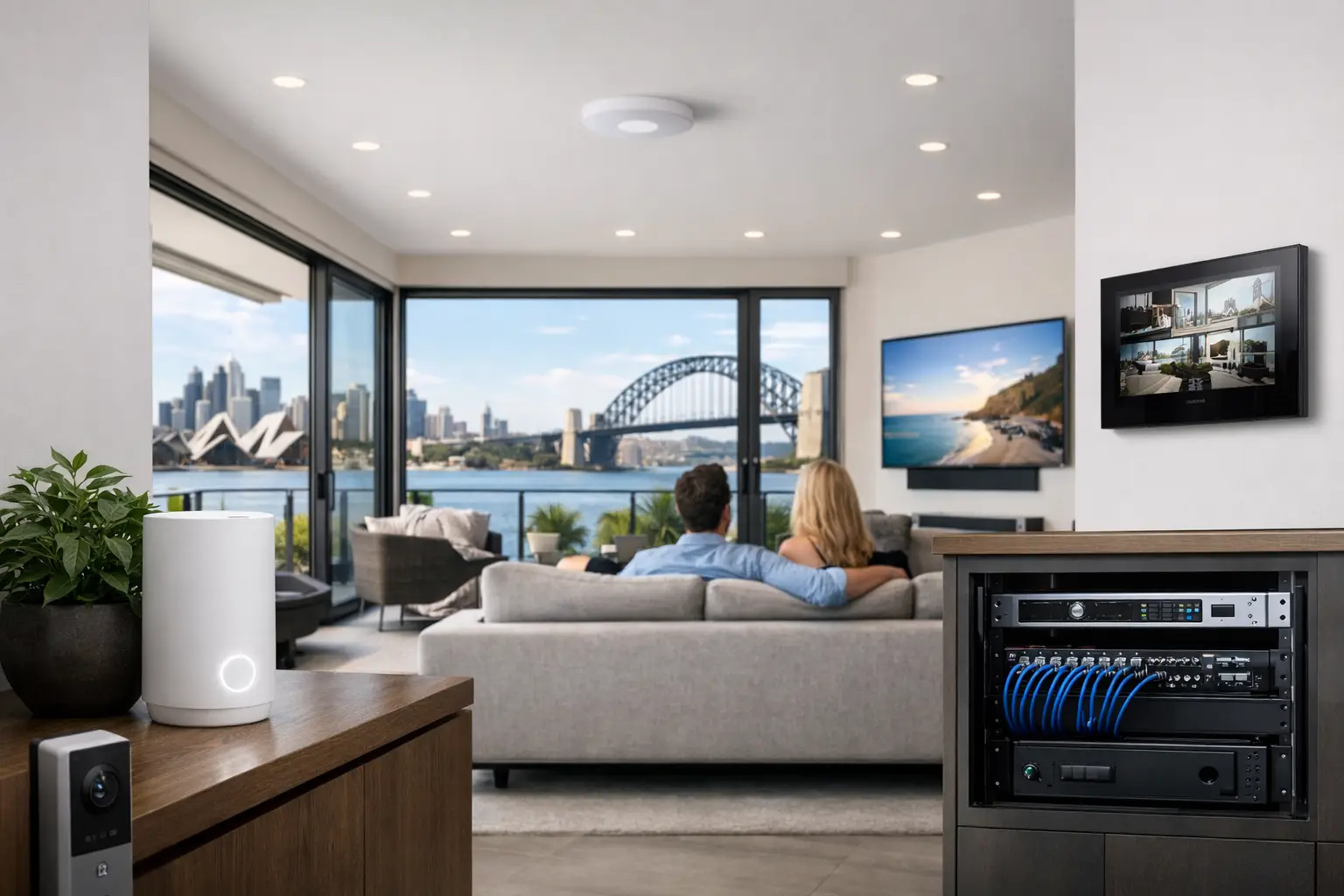
A house with polished finishes and premium technology can still feel broken if the Wi-Fi drops out in the upstairs office, buffers near the TV, or struggles at the front door intercom. That is usually the point where people start searching for whole home wifi Sydney solutions, but the real issue is rarely just speed. It is coverage, roaming, device density, building materials, and whether the network was designed to support the way the property actually operates.
For higher-end homes, renovations, and connected commercial spaces, Wi-Fi should be treated as infrastructure. The network is what allows CCTV, alarms, access control, intercoms, streaming, lighting control, Apple Home, Home Assistant, and remote management to work reliably together. If that foundation is weak, every system built on top of it feels less stable than it should.
Why whole home wifi Sydney is often harder than expected
Most properties do not fail because the internet service is poor. They fail because one router in a study or TV cabinet is expected to cover concrete walls, metal framing, stone bathrooms, garages, outdoor areas, and multiple levels. Even where signal appears acceptable, performance can still collapse once more devices connect or people move around the property.
Sydney homes regularly present the kind of construction that exposes weak network design. Double brick, suspended slabs, foil insulation, dense joinery, and detached structures all interrupt wireless performance. A modern home may also have dozens of active devices at any given time, from phones and laptops to TVs, tablets, cameras, intercoms, smart locks, lighting gateways, printers, and automation controllers. A basic mesh kit from retail shelves may improve a few dead spots, but it does not always deliver the consistency expected in a professionally integrated environment.
That matters more once security and automation are involved. A camera stream that stutters, an intercom that takes too long to load, or a smart home platform that occasionally loses devices is not just annoying. It changes how the whole property feels to live in and manage.
What good whole-home Wi-Fi design actually looks like
A reliable setup starts with layout, not marketing claims. The right design considers floor plan, wall composition, ceiling access, rack location, internet handoff, and how the building will be used day to day. It also separates fixed devices from mobile devices wherever practical.
In most professionally designed systems, wireless access points are placed where they can provide clean, overlapping coverage rather than raw power. That is a key distinction. More transmit power is not the same as better roaming. Clients often assume they need the strongest single device available, when in practice they usually need multiple correctly positioned access points managed as one coordinated system.
This is where platforms such as UniFi make sense. They allow centralized management, structured deployment, VLAN segmentation where needed, traffic visibility, and controlled roaming behavior across the property. More importantly, they fit naturally into larger integrated environments where networking, surveillance, access control, and automation all need to coexist without conflict.
Cabling still matters more than people expect
Wireless is only as good as the wired backbone feeding it. If access points are not hardwired, performance becomes far more dependent on wireless backhaul conditions, which can vary from room to room and level to level. That may be acceptable in some smaller retrofits, but it is rarely the preferred standard for premium homes or commercial sites.
Structured cabling gives the network stability. It allows access points, cameras, intercoms, TVs, desk locations, and automation hardware to be connected properly and powered where required, often through PoE switching. It also gives the property a cleaner upgrade path later. If the owner wants to expand to AI CCTV, add more access control doors, or introduce DALI-2 lighting control, the infrastructure is already in place.
For new builds and major renovations, this should be planned early. Waiting until plaster is up and cabinetry is complete limits placement options and often forces compromises that remain visible in daily use.
Whole home wifi Sydney for smart homes, not just streaming
A lot of Wi-Fi conversations stop at video calls and Netflix, but that is only part of the picture. In a connected home, the network also supports real-time device communication, mobile control, notifications, remote access, and integrations between platforms.
If a property uses Apple HomeKit, Home Assistant, UniFi Protect, Akuvox intercoms, or app-based gate and garage control, the quality of the network starts to shape the quality of the user experience. Delays in device status, inconsistent camera loading, or unreliable mobile handoff between indoor and outdoor zones usually point back to design decisions in the network layer.
That does not mean every smart device should run on Wi-Fi. In many better systems, parts of the automation stack use wired connections or dedicated protocols where appropriate. The point is that Wi-Fi should be designed to support the broader ecosystem, not treated as an isolated utility.
The trade-offs between mesh, access points, and retrofit options
There is no single answer for every property. In a smaller apartment or a straightforward single-level layout, a quality mesh system may be enough. In a larger home, a multi-story residence, or a property with detached areas, hardwired access points are usually the better long-term option.
Retrofits require a more careful balance. Some homes allow easy cable pathways through roof space, subfloor, or service cavities. Others have limited access, finished concrete, heritage details, or architectural constraints that make fully wired deployment more difficult. In those cases, the right outcome depends on what can be cabled, where equipment can be concealed, and which compromises will be least noticeable in everyday use.
This is why site-specific design matters. A product-first approach tends to oversimplify the problem. A design-first approach looks at the building and then selects the right topology, hardware, and placement strategy.
Common signs the network needs a redesign
Sometimes the issue is obvious. Coverage drops in bedrooms, the outdoor entertaining area is unreliable, or video meetings fail in the home office. Other times the symptoms look unrelated to Wi-Fi at first.
Security notifications may arrive late. Intercom calls may connect slowly. Smart TVs may buffer despite a fast internet plan. Cameras may appear online but load unevenly. Home automation dashboards may show devices as unavailable for no clear reason. These are often signs of weak roaming, poor access point placement, overloaded consumer hardware, or too many critical devices sharing the wrong part of the network.
A better design does not just increase bars on a phone. It creates consistency across the whole property.
Planning networking with security and electrical work together
The strongest outcomes happen when networking is planned alongside security, electrical, and automation work rather than after it. That approach makes it easier to place access points cleanly, allocate rack and switch capacity properly, coordinate power requirements, and avoid overlap between trades.
It also improves how the entire system behaves over time. CCTV recording, access control, intercoms, gate control, AV distribution, and smart lighting all place different demands on the network. When those demands are considered together, the result is a property that feels coherent instead of patched together.
For builders, renovators, and property owners, this reduces rework and avoids the familiar pattern of adding one device at a time until the network becomes unpredictable. For strata and commercial environments, it supports maintenance, fault finding, and future expansion in a much more controlled way.
Alpha Security Corp typically approaches this as part of the broader system design, because networking should support the entire technology stack rather than sit beside it as an afterthought.
What to expect from a professionally designed result
A well-executed whole-home Wi-Fi system should feel uneventful. Devices stay connected as you move around. Cameras load quickly. The front gate intercom responds when someone rings. Streaming works in the media room while video calls continue upstairs and automation routines keep running in the background.
That kind of reliability comes from disciplined design choices – proper cable pathways, managed switching, correctly placed access points, clean equipment layout, and realistic planning around device numbers and building constraints. It is not about filling a property with hardware. It is about using the right hardware in the right locations for the way the site will be used.
If you are planning a new build, a renovation, or an upgrade to a property with growing security and automation needs, whole-home Wi-Fi is worth treating as core infrastructure from the start. The best time to get it right is before every other connected system starts relying on it.


