



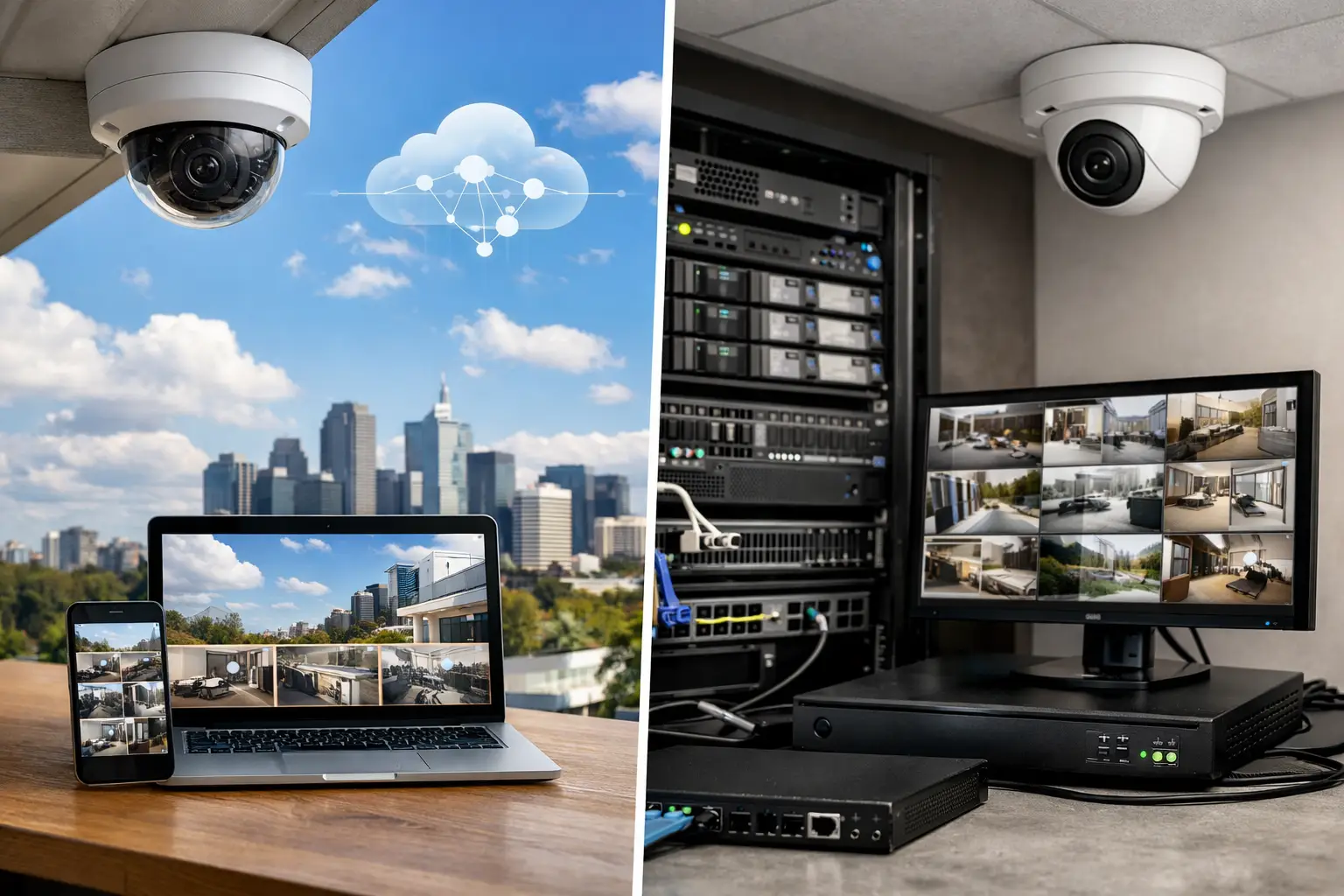
A camera system is only as useful as the footage you can retrieve when something happens. That is why the cloud vs local video surveillance decision should be made during system design, not after cameras are installed. It affects how long footage is retained, how quickly it can be reviewed, what happens during an internet outage, and how the system will integrate with alarms, access control, and the property network.
For a home, strata building, retail site, warehouse, or office, neither approach is automatically best. The right answer depends on risk, internet reliability, retention requirements, privacy expectations, and how the wider security system needs to operate.
What Changes Between Cloud and Local Recording?
Cloud video surveillance sends footage, events, or both to servers managed by the camera platform provider. Users generally log in through an app or web portal to view live video, receive notifications, and retrieve recordings. Storage is commonly tied to a monthly or annual subscription, usually based on the number of cameras and required retention period.
Local recording stores footage at the property, most often on a network video recorder (NVR), server, or purpose-built appliance. Cameras record over the local network, and the recorder manages storage, playback, user permissions, and camera health. Remote access is still available when it is properly configured, but recordings remain under the property owner’s control.
The practical distinction is not simply where footage lives. It is where the system depends on external services, how much data must leave the site, and how the design responds when connectivity or power is interrupted.
Cloud vs Local Video Surveillance for Daily Operations
Cloud systems are often attractive because remote access and off-site storage are straightforward. A business owner can review an event across several sites from one portal. A homeowner can receive a verified motion alert while away. For a small location with a handful of cameras, this simplicity can be valuable, particularly when there is no suitable place for a recorder.
However, cloud recording places more demand on the internet connection. High-resolution cameras generate significant data, especially when recording continuously. A site may have fast download speeds but limited upload capacity, which can constrain image quality, frame rate, or the number of cameras that can reliably stream to the cloud.
Local systems keep routine recording traffic inside the building network. This is a major advantage for multi-camera sites using 4K cameras, long retention periods, or continuous recording. With a properly designed PoE switching and structured cabling layout, cameras can send video directly to the NVR without competing with everyday internet traffic.
That does not mean local footage is inaccessible remotely. A professionally configured NVR can provide secure remote viewing, event alerts, and mobile playback while preserving the performance benefits of local storage. The key is treating the camera network as part of the property infrastructure, not as an afterthought connected to an overloaded home router or office Wi-Fi network.
Internet outages and continuity
An internet outage is where the difference becomes very clear. A cloud-dependent camera may continue detecting activity, but it cannot upload recordings until connectivity returns. Depending on the platform and camera configuration, footage may be buffered locally and synchronized later, or it may be unavailable.
A local NVR continues recording during an internet outage as long as the cameras, recorder, and local network have power. Remote viewing will be unavailable, but the evidence remains on site. For sites where uninterrupted recording is a priority, local storage offers a strong operational advantage.
Power resilience still needs planning. A UPS can support the recorder, network switch, router, and selected cameras through short outages. For larger commercial sites, the CCTV design should be coordinated with backup power, network cabinets, and the building’s broader electrical strategy.
Storage, Retention, and the Real Cost of Footage
Cloud subscriptions make costs predictable, but recurring costs need to be assessed over the expected life of the system. A platform that looks economical for four cameras may become considerably more expensive when a property expands to 16, 32, or 80 cameras, or when longer retention is required.
Local storage involves a higher upfront investment in an NVR and surveillance-rated hard drives. In return, storage capacity can be sized around the required retention period and expanded where the recorder supports it. This is often better suited to commercial, industrial, healthcare, education, and strata environments where footage may need to be retained for weeks rather than days.
Retention calculations are not guesswork. They should account for camera resolution, frame rate, compression method, scene activity, continuous versus event recording, and the number of cameras. A busy loading dock records very differently from a quiet hallway. AI-based people and vehicle classification can reduce time spent searching footage, but it does not eliminate the need to plan storage correctly.
The best design often combines recording modes. Entrance points, cash handling areas, loading zones, and perimeter cameras may record continuously. Lower-risk areas may record on verified people, vehicle, or line-crossing events. This approach protects critical coverage while using storage intelligently.
Privacy, Control, and Cybersecurity
Footage can contain sensitive information: staff movements, visitor activity, vehicle plates, delivery schedules, and activity around private areas of a home. Cloud platforms may provide strong encryption and mature account controls, but the footage is stored and processed through a third-party service. Organizations with strict governance requirements should understand where data is hosted, who can access it, how long it is retained, and what happens when an account or subscription ends.
Local recording gives the property owner more direct control over footage, user accounts, retention, and network access. It also creates a responsibility to secure the system properly. Default passwords, exposed recorder ports, outdated firmware, and poorly segmented networks are avoidable weaknesses.
A secure installation should use unique credentials, role-based user access, current firmware, encrypted remote access where supported, and a properly designed network. On larger sites, separating CCTV, access control, business devices, and guest Wi-Fi through managed switching and VLANs helps limit risk and maintain performance. UniFi networking can provide useful visibility and control when it is designed around the complete environment.
The Hybrid Approach Is Often the Practical Answer
The choice is not always cloud or local. A hybrid design can deliver local high-quality recording while also protecting critical events off site. For example, a business may retain 30 days of continuous footage on a local NVR and upload alarm-triggered clips, camera snapshots, or selected event recordings to a cloud service.
This model reduces dependence on constant cloud upload while providing an additional layer of resilience if on-site equipment is damaged or stolen. It also supports fast remote verification. If an alarm or access control event occurs after hours, an authorized user can view the related camera event before deciding whether a response is required.
Hybrid design is particularly useful where CCTV works alongside intrusion alarms, intercoms, access control, smart lighting, and remote monitoring. The goal is not to force every device into one application. It is to create a practical sequence of events that supports real decisions: a door is opened, access credentials are logged, nearby cameras bookmark the footage, lighting responds where appropriate, and the right people receive a meaningful notification.
How to Choose the Right Recording Model
Start with the consequence of missing footage. If recording must continue through an internet outage and high-resolution footage needs to be retained for a defined period, local recording should be the foundation. This is common for warehouses, offices, retail sites, strata common areas, and homes with substantial perimeter coverage.
Cloud recording can suit smaller, lower-complexity installations where off-site storage, simple management, and rapid remote access are the main priorities. It can also be a useful layer for specific cameras where preserving key event footage away from the property matters more than retaining every second of video.
Consider future expansion before selecting a platform. A new build may begin with exterior cameras and later add gate intercoms, access control, driveway analytics, and network upgrades. A business may add another tenancy, loading area, or remote site. Selecting compatible cameras, recorder capacity, PoE switching, cabling pathways, and network infrastructure early prevents expensive compromises later.
Camera selection matters as much as recording location. A well-positioned Dahua, Hikvision, or Bosch camera with appropriate analytics, lighting, lens coverage, and recording settings will produce more useful evidence than a higher-priced camera installed with blind spots. The design should begin with what must be identified, where activity occurs, and how footage will be used after an incident.
Build for Retrieval, Not Just Recording
The right surveillance system does more than accumulate video. It makes the correct footage available quickly, keeps recording when ordinary failures occur, and fits the way the property is managed.
For most serious residential and commercial projects, local recording provides the control and continuity that a dependable system needs. Cloud services can add value when they are chosen deliberately for remote access, off-site resilience, and streamlined multi-site management. A well-designed system brings both options together where each genuinely improves the outcome.


