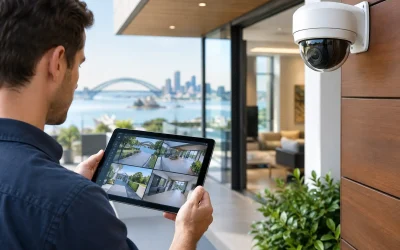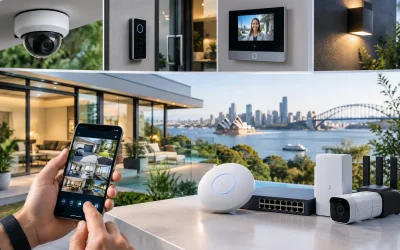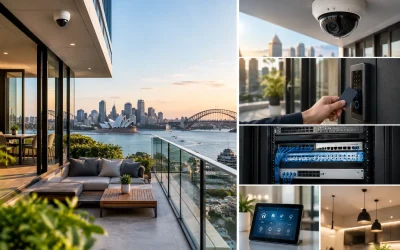



A camera added after a renovation may need power where no cable was allowed for. A new smart lock may expose weak Wi-Fi at the front door. An alarm upgrade can become unnecessarily complicated when the existing cabling, intercom, and network were never considered together. Future security integration is about avoiding those dead ends before walls, ceilings, and landscaping make changes harder and more expensive.
For Sydney homeowners planning a renovation, new build, or staged security upgrade, the goal is not to fill the home with devices. It is to create practical infrastructure that supports the way the property will be used now, while leaving sensible options for later. That means making decisions about cabling, power, network coverage, equipment compatibility, and everyday control as one plan.
What future security integration actually means
Future security integration does not mean every device must sit in one app or that every feature can be automated. Those outcomes depend on the products selected, their supported integrations, the network, and how the system is commissioned. A well-planned system is more useful than a long list of connected products.
In practical terms, integration may mean an access event can be viewed alongside a nearby camera recording, an intercom call can be answered from an approved indoor station or mobile app, and the alarm can be armed without making a complicated routine part of daily life. It can also mean the Wi-Fi, switching, power, and cabling are designed to support those functions reliably.
The best result is often quiet and unremarkable. The front door works, key areas are visible, alerts are meaningful, family members understand how to use the system, and servicing does not require guesswork. Security and connected technology should reduce friction, not create another household chore.
Start with how the home is used
A future-ready design starts with behaviour, not hardware. Who comes and goes through the property? Is there a side gate used by tradespeople, teenagers arriving home after school, a detached garage, pets moving through outdoor areas, or a home office with deliveries at the door? Each detail affects where cameras, access control, lighting, and network equipment make sense.
Consider a typical existing-home renovation. The owner may want a video intercom, front-door access, CCTV coverage, alarm monitoring, and stronger Wi-Fi across the home and backyard. Installing each item independently can work, but it may lead to multiple power supplies, poor camera angles, weak wireless coverage, and controls that are difficult to hand over to the next person in the household.
Planning these services together allows cable routes and equipment locations to be decided before finishes go back on. It also creates a clearer answer to basic operational questions: where will the network equipment live, who receives alerts, what happens during an internet outage, and how will authorised users be added or removed?
Security depends on the network beneath it
Modern cameras, intercoms, access systems, and automation controllers commonly rely on the home network. This does not mean a standard internet connection is automatically inadequate, but it does mean the network deserves proper attention.
Structured cabling provides a dependable path for fixed devices. Where suitable, a network cable can carry data and power to compatible equipment through Power over Ethernet, reducing the need for separate local power points. Wired connections are usually preferable for fixed cameras, access points, intercoms, and other critical devices because they are less affected by wireless congestion and changing building conditions.
Wi-Fi still has an important role. It supports phones, tablets, portable devices, and equipment that cannot reasonably be cabled. Coverage should be assessed across the places people actually use, including upper floors, outdoor entertaining areas, garages, and gate locations. A large house does not always need an elaborate network, while a compact terrace with brick walls may need more careful access point placement than expected.
Network design also involves sensible separation and administration. Security equipment may be placed on an appropriate network segment, and passwords, user permissions, and remote access should be configured with the homeowner’s needs in mind. The right arrangement depends on the equipment and the level of control required. It should never be assumed that every existing router, camera, or smart device will support the same security settings or integrations.
Plan the hard-to-change parts first
Devices can be replaced. Concealed pathways, power provision, and mounting locations are much harder to revisit once plaster, joinery, tiles, or landscaping are complete. This is why early planning adds value even when some equipment will be purchased later.
For a new build or major renovation, we first look at likely camera views, entry points, communications locations, and the central equipment position. Camera placement needs more than a view of a gate or driveway. It should account for mounting height, night lighting, sun direction, possible obstructions, and whether the image will be useful for identifying an event rather than simply showing that something happened.
At entry points, the choice between a video intercom, keypad, card or fob reader, smart lock, or conventional lock depends on the household and door construction. A family may value simple mobile credentials for cleaners or regular contractors. Another may prefer physical keys and only use the intercom for visitor screening. There is no universal best option, particularly where a heritage door, shared driveway, or existing gate motor limits what can be installed cleanly.
Allowing for spare conduit, suitable cable paths, and capacity in the communications cabinet can make later changes far less disruptive. That does not mean running cable everywhere without purpose. It means identifying realistic future needs and making targeted allowances while access is available.
Choose equipment for supportability, not just features
A product comparison can make feature lists look decisive. In a real home, the better choice is often the system that suits the site, can be operated by everyone who needs it, and can be supported over time.
For CCTV, image quality matters, but so do retention requirements, lighting conditions, notification settings, and storage location. AI analytics can help distinguish people, vehicles, and other activity from general motion, which may reduce nuisance alerts. Its accuracy can still be affected by camera angle, weather, shadows, distance, and scene complexity. Analytics should be configured and tested for the property rather than treated as a guarantee.
For alarms, homeowners should consider how the system will be armed and disarmed, whether it needs back-to-base monitoring, how pets affect sensor selection, and whether existing wired sensors can be retained. Reusing serviceable cabling can reduce disruption and cost during an upgrade. In other cases, replacing ageing components is the more reliable long-term decision.
Intercoms, access control, lighting control, and audio visual systems can add useful everyday convenience. However, more integration also brings more dependencies. If a lighting scene is tied to security behaviour, the manual controls still need to make sense when a phone is flat, a service provider is working on the network, or a guest is staying in the home.
Alpha Security Corp assesses compatibility, infrastructure, and user requirements before recommending equipment. The aim is a system designed to work as one where it should, while keeping essential functions clear and practical if one connected service is unavailable.
Make staged upgrades intentional
Not every property needs a complete installation at once. A staged approach can be a sensible way to manage budget, particularly in an existing home where access is limited or renovations will occur in phases.
The key is to avoid spending twice. If cameras are the first priority, it may still be worth installing the right network cabinet, cable pathways, and Wi-Fi foundation for a future intercom or access upgrade. If the alarm is being replaced, ask whether the proposed panel and wiring strategy can accommodate the realistic next stage. If exterior works are planned later, identify gate and driveway cabling before concrete or paving is installed.
A staged plan should document what has been installed, what capacity remains, and what assumptions were made. Clear labelling, tidy equipment installation, and a proper handover matter here. They help the homeowner, future trades, and service technicians understand the system without tracing unidentified cables or guessing which app controls which device.
Questions worth asking before approving the design
Before committing to an integrated security plan, ask how the system will operate during an internet outage, which functions require a subscription or remote service, and who will administer users after handover. Confirm whether the proposed equipment is compatible with the existing infrastructure and what must be replaced to achieve the intended outcome.
Also ask what the household will use every day. A technically capable setup is not necessarily the right setup if it requires multiple steps to arm the alarm, answer the door, or grant access to a trusted visitor. Good design respects both security and routine.
Future-ready security is not a promise that every technology choice will remain current forever. It is a practical decision to install dependable foundations, choose equipment for the property, and leave a clear path for change. If you are planning a Sydney renovation, new build, or upgrade, arrange a site assessment with Alpha Security Corp before the difficult-to-reach parts of the home are closed up.