



A warehouse door left ajar after hours, a delivery arriving before reception opens, a staff member who needs access to one area but not another – most commercial security problems are not dramatic. They are operational. That is why commercial security solutions need to do more than detect a break-in. They need to support how a site actually runs, day after day, without adding friction for staff, tenants, or managers.
Too often, businesses end up with a patchwork of systems installed at different times by different trades. The cameras work, but they are on a separate app. The alarm is armed, but no one is sure who gets the alert. Access control was added later and does not align with the doors, schedules, or reporting the business needs. On paper, each system exists. In practice, the site is harder to manage than it should be.
Why commercial security solutions fail in real buildings
The usual problem is not the hardware. It is the lack of planning between security, electrical, and network infrastructure.
A commercial site depends on power availability, cable paths, switch capacity, internet resilience, door hardware compatibility, recording storage, user permissions, and the realities of how people move through the building. If those pieces are handled separately, the finished system often looks fine during handover but becomes unreliable under normal use.
This is where many businesses feel the difference between basic installation and proper system design. A camera is easy to mount. Designing CCTV coverage that avoids blind spots, handles lighting changes, records at usable quality, and remains accessible across a stable network is a different task. The same applies to alarms and access control. Devices matter, but the underlying infrastructure matters more.
What good commercial security solutions look like
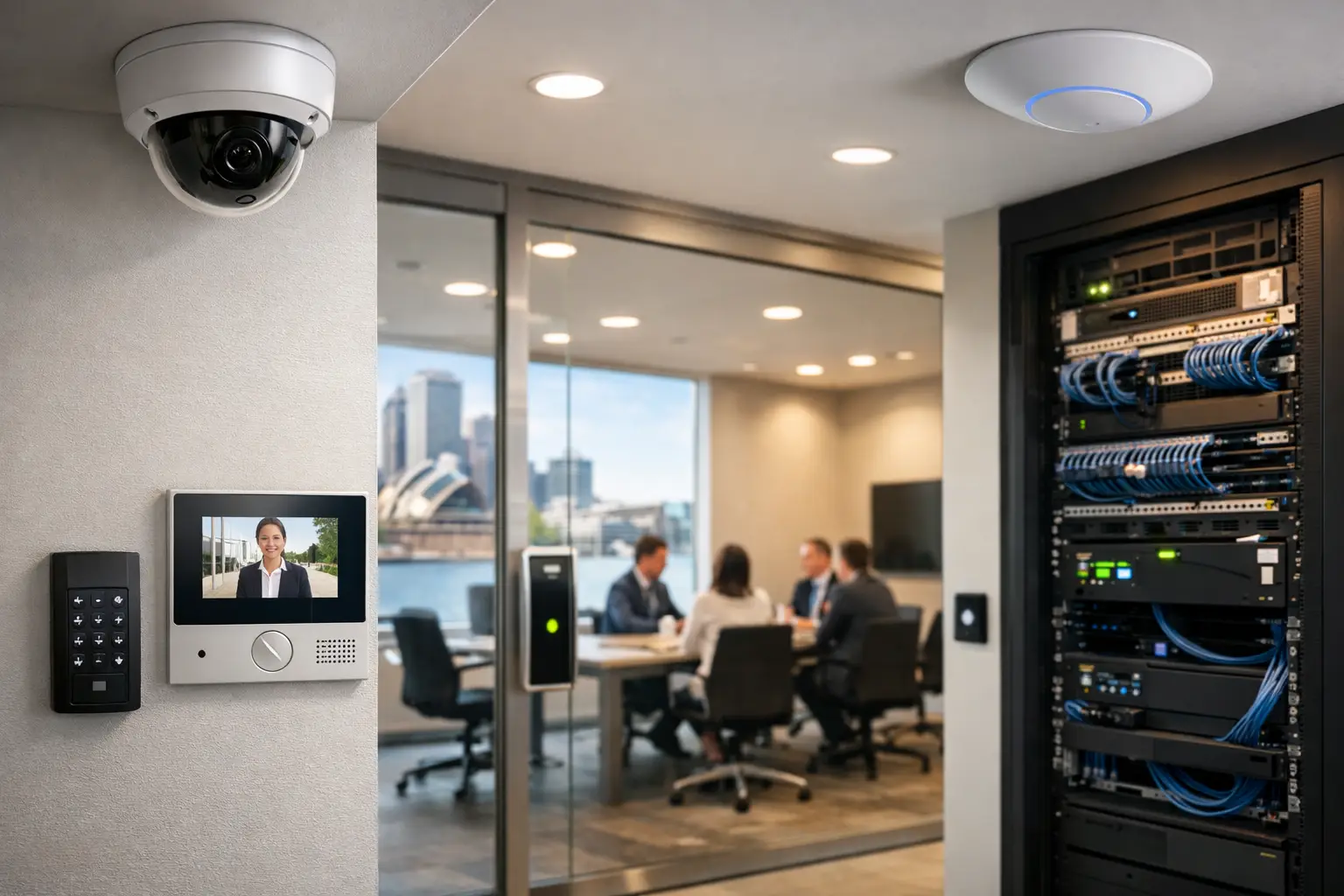
Strong commercial security solutions are designed as one connected environment. CCTV, alarms, access control, intercoms, monitoring, and networking should support each other rather than compete for attention.
For an office, that may mean staff use credential-based access at entry points, management receives event logs for key areas, and cameras verify after-hours activity without requiring someone to manually cross-check separate systems. For a warehouse, it may mean perimeter detection, roller door monitoring, visitor intercoms, and reliable network backbone coverage across larger floor plates. In strata or mixed-use buildings, the priority may shift toward managed access, common area CCTV, contractor access windows, and clear audit trails.
The exact setup depends on risk, site layout, and operational habits. A medical clinic has different pressures than a retail tenancy. A school campus needs different zoning than a small commercial office. The best result is rarely the system with the most devices. It is the system configured around the building’s daily use.
CCTV that supports decisions, not just recording
Commercial CCTV is often treated as a passive layer – cameras go up, footage records, and no one thinks about it again until an incident happens. That approach misses much of the value.
A well-designed camera system should help verify alarms, review access events, monitor receiving areas, and improve visibility across vulnerable points such as parking, entries, service corridors, and loading zones. Platform choice matters here. Integrators working with systems such as Dahua, Hikvision, or Bosch need to match the camera type, lens, analytics, and recording settings to the environment rather than relying on generic defaults.
Analytics can also be useful, but only when applied carefully. Line crossing, intrusion zones, people counting, and smart search functions can reduce the time it takes to investigate an event. They can also produce nuisance alerts if cameras are placed poorly or if environmental conditions are ignored. Trees moving in wind, vehicle headlights, reflective surfaces, and unstable lighting all affect performance. Good design accounts for that from the start.
Access control should reflect real operational rules
Access control is where many sites either become easier to manage or more frustrating than before. The difference comes down to structure.
If every user gets broad permissions because no one planned door groups properly, the system becomes hard to trust. If credentials are difficult to issue, revoke, or audit, staff fall back to workarounds. If door hardware was selected without understanding fire compliance, egress, and building use, reliability suffers.
Done properly, access control gives businesses clear control over who can enter which area, at what time, and under what conditions. It also reduces the risk that lost keys or staff turnover create ongoing exposure. Platforms paired with suitable door stations and intercoms, including solutions from Akuvox in the right environments, can make entry management cleaner for reception, tenants, and service teams.
This is also one of the clearest examples of why integration matters. Access events become more useful when tied to CCTV footage. Entry schedules become more effective when they align with alarm logic. Intercom calls become easier to manage when they fit into the broader communications and network design.
The network is part of the security system
Many commercial issues that appear to be security faults are actually network faults. Dropped cameras, delayed remote access, poor video playback, unstable intercom calls, and inconsistent control response often trace back to switching, power over Ethernet budgets, wireless coverage, VLAN structure, or poor-quality cabling.
That is why networking should not be treated as a separate conversation. On commercial sites, especially those with multiple devices and remote access requirements, a properly planned UniFi network or similarly capable managed infrastructure can make the difference between a system that is dependable and one that constantly generates support calls.
Structured cabling also deserves more attention than it usually gets. Businesses tend to notice visible hardware, but hidden infrastructure determines long-term flexibility. If a site expands, reconfigures offices, adds cameras, upgrades access points, or changes tenancy arrangements, clean and correctly documented cabling saves time and disruption.
Electrical planning changes the outcome
Security devices rely on more than data. Power, backup strategy, equipment location, and compliance all shape reliability.
For example, where are rack equipment and recorders housed? Is there sufficient ventilation? Are power circuits protected appropriately? What happens during an outage? Are field devices placed where maintenance can be carried out safely? On retrofit projects, these questions become even more important because existing infrastructure may not suit modern security requirements without modification.
An integrated provider with licensed electrical capability can solve these issues earlier, instead of handing them off midway through the job. That reduces coordination problems and usually leads to a cleaner result.
New builds and retrofits need different thinking
Commercial security solutions for a new development should not be approached the same way as an occupied retrofit.
In a new build, the advantage is coordination. Security pathways, rack locations, door hardware, cable routes, and network cabinets can be designed before walls close up. That allows better equipment placement and fewer compromises. It also creates opportunities to unify security with lighting controls, AV, and building connectivity from the start.
Retrofits require a more surgical approach. Existing tenants, legacy systems, limited riser space, and business continuity all affect what is possible. In these cases, the right answer is often staged implementation rather than a full replacement in one step. A business may keep part of its existing infrastructure while upgrading CCTV, then move to modern access control once door hardware and cabling are resolved. That approach is slower, but often more practical.
Choosing a system that can grow with the site
Scalability is not just about adding more cameras later. It is about choosing commercial security solutions that remain manageable as the building, business, or tenancy mix changes.
A small office today may add remote staff access, a new storage area, visitor credentialing, or integrated intercoms within two years. A warehouse may need expanded perimeter coverage and more detailed event reporting as operations scale. If the original system was designed with no room for growth, every upgrade becomes expensive and disruptive.
This is where platform selection and system architecture matter. Open integration options, sensible licensing structure, sufficient switching capacity, documented cabling, and planned rack space all support future changes. The goal is not overbuilding. It is avoiding dead ends.
For businesses across Sydney and broader project environments where uptime and site control matter, this design-led approach tends to pay off quickly. It reduces rework, makes support easier, and gives decision-makers better visibility over their property.
What to ask before you approve a commercial security project
Before moving ahead, it is worth asking a few practical questions. Will the system be easy to manage after handover, or does it rely on specialist knowledge for basic tasks? Does the design reflect how staff, visitors, and contractors actually use the site? Is the network ready for the security load being added? Are the electrical and cabling requirements fully accounted for? And if the site changes in twelve months, can the system adapt without major replacement?
Those questions usually reveal whether a proposal is based on equipment alone or on a working understanding of the building.
Alpha Security Corp approaches commercial work with that broader view in mind – CCTV, alarms, access control, intercoms, electrical infrastructure, and networking planned as parts of one dependable system, not separate scopes that happen to share the same address.
The best commercial security setup is often the one people stop thinking about because it quietly supports the building, the staff, and the decisions that keep the place running.


