



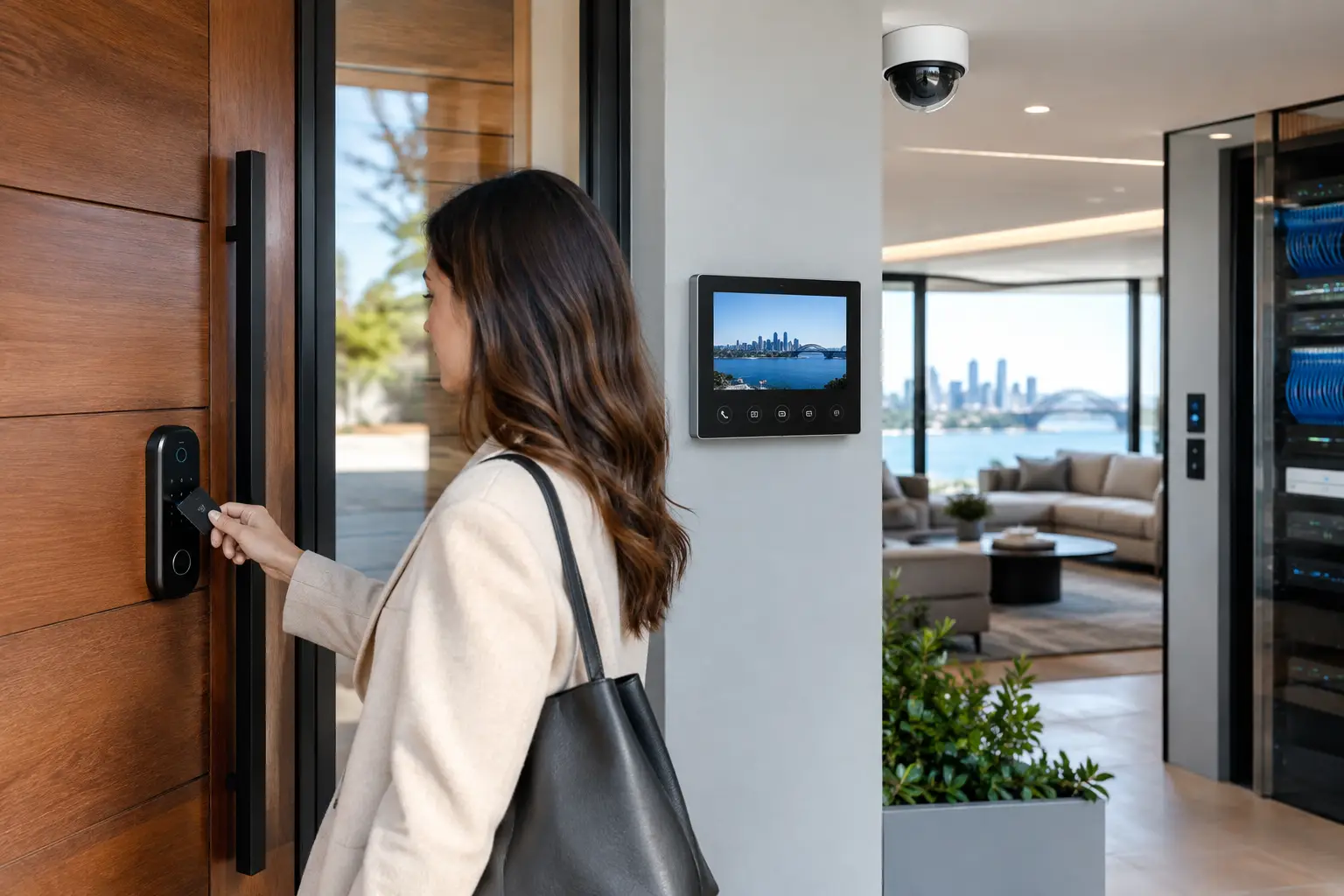
A front door, pedestrian gate, loading dock, or apartment lobby is not just an opening in a building. It is where security, convenience, visitor communication, network reliability, and daily routines meet. Designing smart entry systems properly means treating that point of entry as part of a connected property platform, not as a standalone lock or video doorbell.
For a homeowner, that may mean a gate call reaches the right phone, the porch lights come on after dark, and the door can be opened securely for a trusted service provider. For a commercial property, it may mean staff credentials, visitor intercom calls, CCTV events, door schedules, and audit records all operate predictably during a busy workday. The difference is in the design work completed before equipment is selected.
Start with the real movement through the property
The best entry system design begins with people, not products. Who arrives at the property? Which entrances do they use? Are they staff, residents, guests, contractors, deliveries, patients, tenants, or after-hours cleaners? Each group needs a different level of access, communication, and accountability.
A single-family home may need a pedestrian gate, driveway gate, front door intercom, and side access for trades. A strata building may need resident access, visitor calling, delivery management, lift integration, and secure common-area doors. An office or warehouse may need timed staff access, separate contractor entry, emergency egress, and reporting for sensitive rooms.
This exercise also reveals where convenience can create risk. A common example is installing a high-quality intercom at a front gate while leaving a side gate accessible with a basic key. Another is giving every employee access to every door because permission groups were never planned. Smart entry should make the intended route easy while keeping less appropriate routes controlled.
Define what happens at each door
Every controlled opening needs a clear operating rule. Ask what should happen when a credential is presented, when an intercom call is answered, when the door is forced open, or when it is held open too long. The answer may be different at 8:30 a.m. than it is at 10:00 p.m.
At a commercial site, a main entry may unlock on a schedule during staffed hours, then require mobile credentials or cards after hours. A server room may always require a credential and generate an event if the door remains open. At a residence, a gate call may be answered through an Akuvox intercom panel and a mobile device, with access granted only after a live video check.
These operating rules should also account for failure conditions. If internet service is interrupted, local access should still work. If power is lost, the locking hardware must behave correctly for the application and life-safety requirements. If a resident changes phones or an employee leaves, credentials must be easy to remove without replacing locks or issuing new physical keys throughout the building.
Select access methods for the people using them
There is no single best credential. Cards and fobs remain practical for staff and shared commercial environments. PIN codes can suit controlled visitor access but require disciplined management. Mobile credentials are convenient for many users and can reduce the burden of issuing and recovering physical tokens. Biometric access can be appropriate in higher-security applications, although privacy, user acceptance, and backup access methods need careful consideration.
For homes, the goal is often a combination of secure everyday entry and controlled guest access. A homeowner may use Apple Home or Home Assistant for approved automation and notifications, while a professionally installed intercom and access control platform handles the physical door release. This division matters. Consumer-facing control should feel simple, but the core access logic should remain dependable and locally functional.
The trade-off is between convenience and administration. A PIN is easy to share but difficult to audit once it has spread beyond the intended user. Mobile access is flexible, but the system must have clear enrollment and removal processes. Physical credentials are familiar, but they can be lost or copied if the credential technology is not selected carefully. A thoughtful design uses more than one method where continuity matters.
The intercom is a communication system, not a doorbell
A video intercom should do more than show a face at the gate. It needs to deliver a clear call to the right person, provide usable audio in real conditions, and allow an authorized user to release the correct door or gate. Camera angle, microphone placement, lighting, mounting height, weather exposure, and network connectivity all affect whether it works well on day one and two years later.
For larger homes and commercial sites, call routing deserves particular attention. A call can go to a reception desk during business hours, then route to a duty phone after hours. In a strata setting, it may call a resident indoor station and their mobile device. The system must prevent missed calls without creating uncontrolled access through broad call forwarding.
Intercom video also needs to complement, rather than replace, CCTV. A purpose-positioned Dahua or Hikvision camera can provide a wider view of a driveway, gate approach, lobby, or delivery zone than the intercom camera alone. That broader context is useful when reviewing an event, especially where someone has approached without pressing the call button.
Build the network and power infrastructure first
Many entry problems that appear to be software issues are actually infrastructure issues. An intercom with unstable Wi-Fi, a gate controller installed without proper surge protection, or a camera connected through an overloaded network will eventually create unreliable behavior. Entry systems should be planned alongside structured cabling, electrical work, communications racks, and network design.
A wired connection is generally the right choice for fixed entry devices where cabling is feasible. It provides a more stable path for video, audio, access events, and power delivery. UniFi networking can provide centralized management, network segmentation, and visibility across connected devices, but the design still needs correct switch capacity, PoE budgeting, cable pathways, and backup power where appropriate.
Segmentation is particularly valuable when access control, CCTV, intercoms, automation controllers, and general user devices share the same property network. These systems need to communicate where required, but not every device needs unrestricted access to every other device. Clear network design improves security, troubleshooting, and future expansion.
At gates and external doors, power and environmental conditions are equally important. Cable runs may need protection from physical damage. Enclosures need to accommodate heat, moisture, and service access. Electric strikes, magnetic locks, gate operators, and request-to-exit devices must be specified as a complete system. Choosing hardware in isolation can result in a beautiful reader panel paired with a lock that is unsuitable for the door, gate, or code requirements.
Connect security and automation with purpose
Integration should reduce steps for legitimate users and improve awareness for property managers. It should not create a complicated chain of automations that no one can service. The most useful rules are usually straightforward.
When an authorized person enters after dark, pathway and entry lighting can activate at a sensible level. When a door is forced or held open, the system can create an event, notify the right people, and bring the relevant CCTV view to attention. When a business arms after closing, the platform can check selected doors and notify a manager if one remains unsecured.
For premium residential projects, DALI-2 lighting and Zen Control can provide a reliable lighting layer that complements access events without making entry dependent on a cloud service. Apple Home and Home Assistant can then provide appropriate user-facing control, scenes, and notifications. The critical distinction is that lighting automation is helpful, while access control must remain predictable and safe in its own right.
Avoid automating every possible action. Automatically unlocking a door based only on proximity, for example, may be convenient in some private settings but inappropriate at a visible street-facing entrance. A design should reflect the property’s risk profile, occupants, and routines rather than copy a feature list from another project.
Design for servicing, growth, and handover
An entry system is a long-term operational system. Buildings change hands, staff change roles, tenants move, and technology evolves. The installation should leave room for additional doors, cameras, readers, or intercom stations without requiring a complete rebuild.
That means documenting cable paths, labeling equipment, maintaining current credential records, and selecting platforms with a realistic support path. It also means providing a clear handover: who can add a user, who receives door alarms, how are visitor calls routed, and what should happen when a credential is lost?
For builders and renovators, early coordination is especially valuable. Door hardware, gate construction, electrical rough-in, network locations, and joinery details all influence the finished result. Planning them together avoids surface-mounted compromises and last-minute changes that affect both appearance and reliability.
Alpha Security Corp approaches entry design as part of the wider security, electrical, networking, and automation environment. That approach allows access control, intercoms, CCTV, lighting, and network infrastructure to be designed around the way a property actually operates.
A well-designed entry system should feel unremarkable when everything is normal: people enter easily, visitors reach the right person, and doors behave as expected. Its real value becomes clear when the property is busy, after hours, or facing an unusual event, because the system still gives the right people clear control and useful information.


