



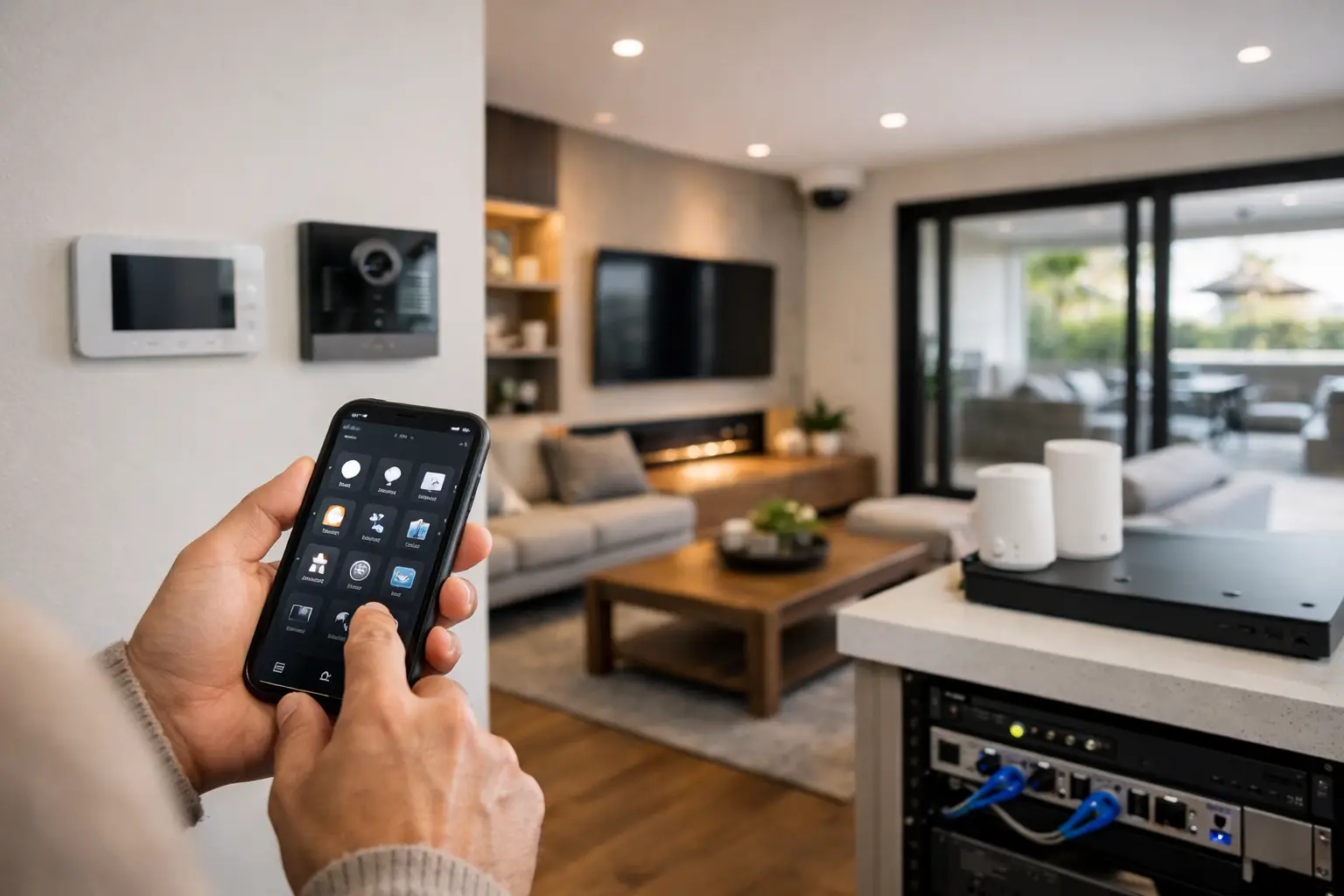
A well-planned guide to retrofit home automation starts with the parts of a home that already work: its electrical circuits, lighting locations, network pathways, entry points, and daily routines. The objective is not to add an app-controlled device to every room. It is to create a dependable system where lighting, security, climate, entertainment, and access respond in useful ways without making the property harder to operate.
Retrofit projects are different from new construction. Walls may be finished, switch boxes may be shallow, Wi-Fi may have weak areas, and wiring routes may be limited. Those constraints do not prevent high-quality automation, but they make design decisions more important. The best result comes from assessing infrastructure first, then selecting platforms and devices that fit the building and the people who use it.
Start With the Existing Home, Not the Product List
The first site assessment should establish what can be retained, what needs improvement, and where future expansion is likely. An installer should inspect the switchboard, lighting circuits, switch locations, ceiling access, communications cabling, internet connection, and coverage throughout the property. This is also the time to identify high-value areas such as the entry, driveway, living spaces, primary bedroom, outdoor entertaining area, and any detached building.
Electrical details matter. Some smart lighting controls require a neutral conductor at the switch, while others can operate in more constrained wiring conditions. Circuit loading, dimmable fixture compatibility, and the condition of existing switchgear affect which control method is appropriate. A licensed electrical assessment prevents a common retrofit problem: installing smart controls that behave inconsistently because the underlying lighting circuit was never suited to them.
Network design deserves the same attention. A reliable automation system should not depend on a single consumer Wi-Fi router placed near the internet connection. Professional UniFi networking can provide properly positioned access points, wired backhaul where possible, network segmentation, and coverage verification. This supports not only phones and tablets, but also cameras, door stations, smart lighting bridges, controllers, televisions, and audio equipment.
Define What the System Should Do Each Day
Useful automation is based on behavior, not novelty. Before choosing a platform, document the routines that matter. A household may want the entry lights to come on after sunset, the alarm to arm when everyone leaves, cameras to notify only when a person approaches the front door, and selected lights to switch off at bedtime. A larger home may also need guest access, gate control, multiroom audio, and simple wall controls that remain intuitive for visitors.
For a retrofit, four decisions shape the design:
- Which actions must work from physical switches or keypads, even if the internet is unavailable.
- Which systems need to share information, such as an alarm event triggering exterior lighting and camera recording.
- Which occupants need access, and whether their control should be through Apple Home, Home Assistant, dedicated touch panels, keypads, or a combination.
- Which additions may be required later, including EV charging, motorized shades, more cameras, a pool area, or a secondary dwelling.
This planning avoids the fragmented experience of separate apps for lights, cameras, alarms, heating, and intercoms. A cohesive system still allows each component to perform its core job independently, while providing shared control and carefully considered automations.
Build a Control Layer That Fits the Household
Apple Home is a strong choice for households already using iPhone, iPad, Apple TV, and HomePod devices. It provides familiar control, secure remote access, voice control, household permissions, and a simple interface for scenes such as Home, Away, Evening, and Good Night. Apple Home works particularly well when paired with professionally selected devices and a stable network.
Home Assistant offers more flexibility when the project requires deeper logic or integration across different manufacturers. It can coordinate lighting, security states, presence, energy data, audiovisual equipment, gates, and sensors in ways that go beyond a single vendor ecosystem. For example, a Home Assistant routine can use the alarm state, time of day, occupancy, and door contact status before deciding whether to activate pathway lights or send an alert.
The trade-off is that flexibility requires disciplined design. Automations should be documented, tested, and built with manual overrides. Critical security functions should remain reliable even if an automation controller is being serviced. The goal is not to make every function dependent on one hub. It is to use the controller as an intelligent coordination layer above dependable electrical, security, and network systems.
Retrofit Lighting With Physical Control in Mind
Lighting is often the most noticeable part of home automation because it changes how rooms feel and function. It can also be the easiest area to get wrong. Replacing every lamp with a connected bulb may seem convenient, but it can create confusion when someone turns off the wall switch and the bulb loses power.
A better retrofit approach typically keeps familiar wall control while adding intelligent dimming, switching, scene control, and occupancy response. In selected rooms, smart dimmers or relays can work behind conventional-style switches. In more substantial renovations, a centralized lighting design using DALI-2 or Zen Control may be appropriate, particularly where precise dimming, grouped lighting, architectural fixtures, and future scalability are priorities.
Not every light needs automation. Focus on circuits where control improves daily use: entry and hallway lights, kitchen task lighting, living room scenes, exterior pathways, bathrooms, and security lighting. Bedrooms often benefit from bedside scene control, while outdoor areas may combine scheduled lighting with motion activation and manual override.
Integrate Security as an Active Part of the Home
Security should not sit in a separate silo. A professionally designed alarm, CCTV, access control, and intercom system can contribute useful information to the rest of the property without compromising security or privacy.
For instance, an Akuvox intercom can provide visitor communication and controlled entry at the door or gate. AI-enabled CCTV from established platforms such as Dahua, Hikvision, or Bosch can distinguish relevant person or vehicle events from general motion, reducing unnecessary notifications. When an authorized occupant arrives, the system may open the gate, disarm selected areas, and activate an arrival lighting scene. When an alarm occurs, exterior lights can increase visibility while cameras record the relevant area.
These actions must be designed carefully. A camera notification is useful when it identifies a genuine event at a meaningful location. Constant alerts from a poorly positioned camera quickly lead users to ignore the system. Camera placement, lighting conditions, retention requirements, privacy zones, and network bandwidth should all be resolved during design rather than after installation.
Plan for Wired Where It Counts
Wireless technology is valuable in retrofits, especially where opening walls is impractical. It is not, however, a replacement for cabling in every situation. Structured cabling to Wi-Fi access points, cameras, televisions, desks, audiovisual racks, intercoms, and automation equipment improves performance and serviceability. Wired connections are particularly important for high-resolution CCTV, multiroom AV, and any device that needs predictable uptime.
Where new cable routes are limited, an experienced integrator can use accessible roof spaces, underfloor areas, existing conduits, or focused wall openings to reach the locations that matter most. The right question is not whether every device can be wireless. It is where a wired connection will prevent future limitations.
A central equipment location is also valuable. It does not need to be a large rack in every home, but networking, security recording, automation controllers, and power protection should be organized, labeled, ventilated, and accessible for maintenance. This makes future upgrades far easier than tracing unmarked power supplies and network devices scattered through cupboards.
Test the Scenarios, Then Support the System
A retrofit is complete only after the system has been commissioned in real conditions. Test arrival and departure routines, nighttime movement, internet outages, power restoration, intercom calls, camera notifications, family permissions, and manual switching. Confirm that a guest can turn on lights without learning an app and that the homeowner can understand what happens when a scene is activated.
Documentation is part of a professional installation. It should identify installed platforms, equipment locations, network credentials and ownership arrangements, control methods, and the intended behavior of key automations. Ongoing support also matters because homes change: a renovation may add circuits, a new vehicle may require charging, or a family may want different security and access rules.
Alpha Security Corp approaches retrofit automation as an integrated property system, combining licensed electrical work, structured networking, security, and control platforms into a setup designed to work as one. The practical measure of success is simple: the technology should feel reliable enough that people use it every day, and adaptable enough that it still suits the home years from now.
The best next step is a site-specific conversation about the routines that matter, the infrastructure already in place, and the few improvements that will have the greatest effect. Start there, and the automation can grow with the property rather than compete with it.


