



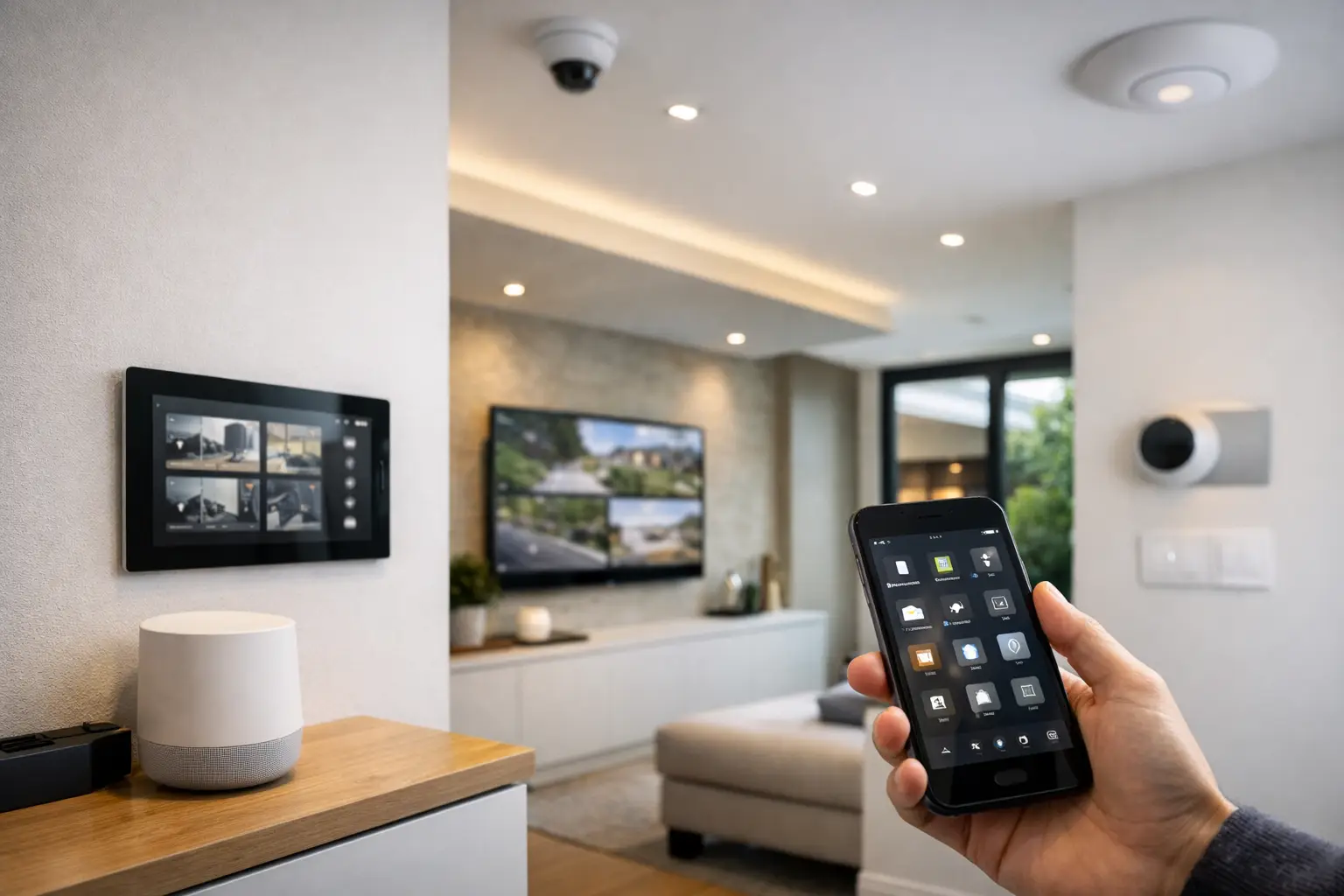
A HomeKit integration guide should begin with the parts of a property that cannot be easily changed later: electrical pathways, network coverage, door hardware, lighting circuits, and equipment locations. Apple Home can provide an exceptionally clear control experience, but the reliability of that experience depends on the infrastructure behind it.
For a new build, major renovation, or premium retrofit, HomeKit works best as the visible layer of a properly designed connected system. It can bring lighting, climate, selected security devices, door access, sensors, cameras, and scenes into one familiar interface on an iPhone, iPad, Apple Watch, or wall-mounted control point. The objective is not to put every device in an app. It is to create practical systems that respond consistently when people arrive, leave, sleep, work, or need to secure the property.
HomeKit Integration Guide: Start With the System Design
The first design question is not which smart devices to purchase. It is what the property needs to do every day.
A family home may need an arrival scene that turns on pathway lighting, disarms selected internal functions, opens a garage door after verified access, and adjusts comfort settings. A strata apartment may prioritize video intercom access, common-area lighting, and carefully managed resident permissions. A commercial office may use Apple Home for staff-facing comfort controls while retaining professional access control, alarm reporting, and CCTV on their dedicated platforms.
These use cases require different levels of integration. A security system should remain capable of operating correctly if a phone is unavailable, an automation controller is being serviced, or the internet connection is down. The same principle applies to lighting. A wall switch must still control the room, even when a scene, voice command, or app is not in use.
This is why design should identify the primary control method for every function. In most projects, physical controls come first, scheduled or sensor-based automation comes second, and app or voice control provides convenience. That hierarchy prevents a connected property from becoming difficult to use for guests, children, staff, or future occupants.
Decide what belongs in Apple Home
Apple Home is particularly effective for daily lifestyle control: lighting, shades, thermostat adjustment, occupancy sensors, door locks, garage doors, and selected camera functions. It is also an excellent way to present simple scenes, such as Good Morning, Away, Entertain, or Night.
Not every system should be forced into HomeKit. Enterprise-grade CCTV, monitored alarms, access control, and intercom platforms often need their own dedicated management tools for user permissions, event history, reporting, and professional monitoring. A Bosch alarm panel, an Akuvox intercom, or a commercial access-control system can still be planned to work alongside Apple Home without making Apple Home the sole operational interface.
The right approach depends on the risk profile of the site. A residence may benefit from more visible HomeKit control, while a business should generally keep life-safety, access, surveillance, and audit functions within their purpose-built platforms.
Build the Network Before Adding Automations
Most HomeKit problems that appear to be device problems are actually network, power, or coverage problems. A reliable connected property needs planned Wi-Fi coverage, correctly configured switching, suitable equipment locations, and stable power for network hardware and controllers.
Wi-Fi devices need consistent signal strength where they are installed, not just near the router. This matters for exterior cameras, gate intercoms, smart locks, pool equipment, and detached studios. A UniFi network designed with correctly positioned access points and structured cabling gives connected devices a stronger foundation than a single all-in-one router placed in a cupboard.
Thread devices can reduce dependence on Wi-Fi for certain low-power products, but they still need a healthy Thread mesh. Each compatible powered device can help extend coverage, while battery devices generally do not. Thread is useful, but it does not remove the need for thoughtful placement, reliable power, and proper commissioning.
A wired connection remains the preferred choice for fixed infrastructure where practical. Network video recorders, access-control controllers, intercoms, television systems, and wireless access points benefit from structured cabling. In a new build, cable routes to ceilings, gates, utility rooms, media zones, and likely future equipment locations create flexibility that is difficult to add after finishes are complete.
Plan the Home Hub and remote access
Apple Home requires a suitable home hub for automations, remote access, and many accessory functions. The hub should be positioned where it has dependable network connectivity and should not be treated as an afterthought in a crowded media cabinet.
Remote access also requires a careful security posture. Use individual user accounts, limit administrator permissions, remove former occupants or staff promptly, and avoid sharing a single household login. For properties with several residents, guests, tradespeople, or service staff, permission design is just as important as device installation.
Integrate Lighting at the Electrical Layer
Lighting is where thoughtful HomeKit integration has the most visible daily impact. It is also where shortcut decisions create the most frustration.
For small retrofit areas, compatible smart switches, dimmers, or lighting modules can be a sensible path. For larger homes and projects with architectural lighting, a professionally designed lighting-control solution is usually more appropriate. DALI-2 lighting and platforms such as Zen Control can manage complex dimming, scenes, tunable fixtures, and multi-zone behavior while presenting selected scene controls through Apple Home.
This approach separates the lighting control engine from the user interface. If the Apple Home environment is temporarily unavailable, programmed keypads, switches, and the lighting system itself continue to work. Apple Home then adds familiar scene access and cross-system automation rather than carrying the entire burden of lighting operation.
Circuit design matters. Decide early which fixtures should dim together, which areas need independent control, where keypads belong, and whether decorative, task, and pathway lighting should respond differently. A kitchen, for example, may need bright task lighting in the morning, lower ambient lighting in the evening, and a low-level night path after bedtime. Those are useful behaviors, not novelty effects.
Connect Security Without Compromising Security
HomeKit-compatible cameras and locks can be valuable additions to a residential system, particularly when occupants want notifications, live views, or simple access status within Apple Home. However, they should be selected and configured around the security design, not the other way around.
For example, an AI CCTV system may be designed to identify people, vehicles, and defined activity zones around a driveway, entry, warehouse, or perimeter. Its recorder should retain footage according to the site’s operational requirements. Apple Home may provide convenient viewing of selected cameras, but it may not replace the recording capacity, search tools, retention settings, or multi-user management needed from a Dahua, Hikvision, or other professional surveillance platform.
The same distinction applies to alarms. A monitored alarm should retain its independent communications path, backup power, code management, and reporting functions. Automation can respond to an armed state by turning off nonessential lighting or setting a property to Away mode, but critical alarm operation should not depend on a consumer automation rule.
Door and gate access should be designed with safety and failure states in mind. Consider what happens during a power outage, whether a gate can be released safely, how deliveries are handled, and whether residents need keypad, card, mobile, intercom, or mechanical-key access. Good integration makes these decisions clearer rather than hiding them behind an app.
Use Home Assistant Where It Adds Real Value
Home Assistant can complement Apple Home when a project includes devices, protocols, or logic that Apple Home does not natively support. It can bring together selected security events, energy monitoring, pool equipment, AV controls, or specialty systems and then expose useful controls to Apple Home.
This is most effective when the automation logic is documented and supportable. Complex rules should have clear naming, known fallback behavior, and a defined owner for future changes. A sophisticated automation that nobody can diagnose is not an improvement over a simple, dependable scene.
For larger integrated properties, keep essential control local wherever possible. Local operation reduces dependency on external cloud services and can improve response times, particularly for lighting, occupancy, and entry-related workflows. Cloud-connected services can still have a place, but they should not be the only path for core functions.
Commission the Property as One System
Installation is only the midpoint. Commissioning turns installed equipment into a reliable working environment.
A complete handover should verify at least the following:
- Each physical switch, keypad, lock, sensor, camera, and intercom operates as intended.
- Wi-Fi and Thread coverage are tested at device locations, including exterior and boundary areas.
- HomeKit automations are tested for normal use, overnight behavior, loss of internet, and power restoration.
- Security, CCTV, access control, and monitored alarm functions are tested on their dedicated platforms.
- Residents, staff, or property managers receive clear guidance on daily control, user access, and support procedures.
Names matter during commissioning. A device labeled Back Hall Sensor is easier to support than one labeled Sensor 14. Rooms, scenes, camera names, and access points should follow a consistent naming convention that makes sense to the people using and servicing the property.
For Sydney new builds and complex retrofits, coordinating the electrical, structured cabling, security, and automation work before walls are closed can prevent expensive compromises later. Alpha Security Corp approaches HomeKit as part of that wider system design, so the finished property remains clear to operate and practical to maintain.
The best connected homes feel ordinary in the right way: lights respond where expected, access is straightforward, security remains dependable, and the technology stays in the background until it is needed.


