



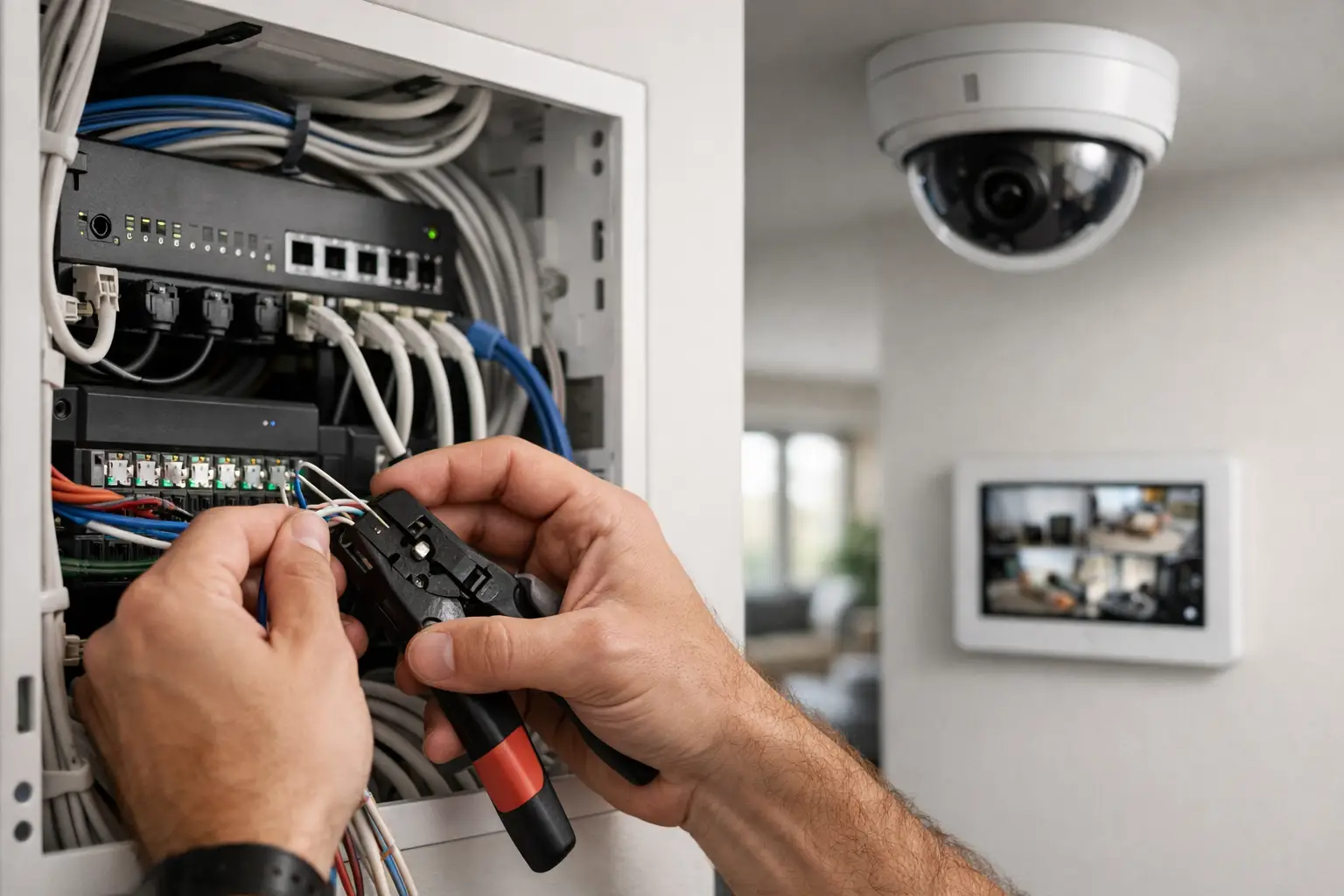
When a builder asks where the alarm should go, the real question is usually bigger: how are home security systems wired so they stay reliable years from now, not just on handover day? The answer starts with infrastructure. A professionally designed system is not just a few sensors and a keypad. It is a low-voltage network of devices, power, control wiring, communications paths, and often integration with CCTV, intercom, access control, lighting, and the home network.
That matters because wiring decisions made early affect everything later – serviceability, false alarm resistance, upgrade options, and how well the system works with the rest of the property. In a new build, the wiring can be planned cleanly and intentionally. In a renovation or retrofit, the design has to balance performance with access constraints, finish protection, and future expansion.
How are home security systems wired in a typical home?
Most professionally installed alarm systems are wired in a star topology. That means each field device, or each zone of devices, is cabled back to a central alarm panel. The panel is the control point of the system. It supervises inputs from sensors, manages sirens and keypads, communicates with monitoring services if required, and keeps the system running during a power outage through a backup battery.
The panel itself is usually installed in a secure, discreet location with access to permanent power. From there, low-voltage cabling runs to door contacts, motion detectors, glass-break sensors, keypads, internal and external sirens, and communication modules. Depending on the design, some devices are home-run individually while others may be grouped by zone.
In a straightforward residential system, door and window contacts are wired as detection circuits, motion detectors receive power and send alarm signals back to the panel, and keypads use a dedicated data bus or communication pair to exchange commands and status. If the system includes hardwired smoke detection, panic devices, or duress inputs, those are also brought back into the panel architecture in a controlled way.
The core wiring paths inside the system
A hardwired security system usually includes three main wiring categories: detection circuits, power circuits, and communications cabling. They work together, but they do different jobs.
Detection wiring connects sensors to the alarm panel. For a reed contact on a door or window, this may be a simple closed circuit supervised by an end-of-line resistor so the panel can tell the difference between normal, alarm, tamper, and fault conditions. For a PIR motion detector, the cable typically carries both power and alarm relay outputs, and often a tamper circuit as well.
Power wiring supplies 12V DC, or another device-specific voltage, from the panel or a remote power supply to field devices. This is where design matters. Voltage drop, cable distance, and current draw all affect whether a detector, siren, or peripheral performs properly. On larger homes or integrated projects, auxiliary power supplies may be used so the system remains stable under load.
Communications wiring carries keypad data, module communication, or IP connectivity. Traditional alarm panels use proprietary bus wiring between the panel and system peripherals. More modern systems may also include Ethernet pathways for remote programming, app control, event reporting, or integration with broader smart-property platforms.
Sensors are simple, but the design is not
The wiring behind a sensor can look basic on paper, but good security design is about how those sensors are grouped, supervised, and located. A front door contact may be on its own zone for clear reporting. Multiple downstairs windows might be grouped if that suits the use case, but in a premium installation it often makes sense to separate critical openings for better diagnostics and more precise alarm information.
Motion detectors are commonly wired with four or six conductors depending on the device and supervision method. The cable needs to carry power, relay output, and tamper status. If the home includes pets, large glass areas, or unusual ceiling heights, the detector choice and placement become just as important as the wiring.
This is one reason professionally wired systems tend to outperform improvised layouts. A system should not only detect intrusion. It should also be easy to test, maintain, and expand without guessing which cable serves what.
Keypads, sirens, and the alarm panel
The keypad is the user-facing part of the system, but electrically it is just one device on a wider control bus. It usually connects back to the panel with dedicated data and power conductors. In larger properties, multiple keypads may be installed at entry points, garage access doors, staff areas, or secondary building zones.
Sirens are wired separately because they have different current and supervision requirements. An internal screamer may draw modest power, while an external siren and strobe assembly can require more careful power budgeting and tamper protection. The panel has to monitor these outputs so a wiring fault or enclosure tamper is flagged rather than going unnoticed.
The panel enclosure itself is more than a junction point. It contains the control board, transformer or power input arrangement, battery backup, and communication hardware. If the property uses back-to-base monitoring, IP reporting, or cellular redundancy, those pathways need to be wired and commissioned as part of the overall system, not treated as an afterthought.
How cameras and networking change the wiring plan
Once CCTV is part of the design, the conversation shifts from alarm wiring alone to broader structured cabling and network infrastructure. Cameras are usually not wired back to the alarm panel. Instead, they are commonly connected by Ethernet cable to a PoE network switch, which provides both power and data. That switch then links to an NVR, security VLAN, or broader network environment.
This is where integrated design has real value. If the alarm, CCTV, intercom, access control, and remote access platform are all being planned together, cable pathways, rack space, switch capacity, UPS support, and network segmentation can be resolved upfront. A well-designed UniFi network, for example, can provide the underlying transport for surveillance and smart-property services while keeping security devices organized and manageable.
The systems may be wired separately but still designed to work as one. An alarm event can trigger camera bookmarks, push notifications, lighting scenes, or gate actions depending on the platform and programming. That kind of outcome depends on both physical wiring and thoughtful system architecture.
Wired vs wireless is not a simple either-or decision
Many modern projects use a hybrid approach. Critical perimeter protection, keypads, sirens, and structured devices are often hardwired where possible because wired connections provide stable power, predictable supervision, and strong long-term reliability. Wireless sensors can still be useful in finished areas, detached structures, heritage interiors, or retrofit scenarios where cable access is limited.
The trade-off is straightforward. Wireless devices reduce installation disruption, but they introduce battery maintenance and can limit device selection depending on the ecosystem. Wired systems require more planning and labor, especially in completed homes, but they usually provide a cleaner foundation for larger integrated projects.
For new construction, hardwiring is almost always worth considering even if not every sensor is installed on day one. Prewiring for future alarm zones, cameras, intercom stations, access points, and smart lighting control gives the property options later without opening walls again.
What a proper prewire includes
A security prewire is rarely just alarm cable. In a well-planned home, it often sits alongside structured data cabling, camera points, intercom locations, access control pathways, Wi-Fi access point cabling, and sometimes integration allowances for Apple Home, Home Assistant, or lighting systems such as DALI-2 and Zen Control.
That does not mean every subsystem must be installed immediately. It means the infrastructure should support a coherent roadmap. A front gate intercom, a garage entry keypad, AI-enabled CCTV analytics, monitored intrusion detection, and lighting responses can all be staged over time if the backbone has been planned correctly.
This is especially relevant for larger residences and renovation projects where the owner wants security, networking, and automation to behave like one environment rather than a pile of disconnected apps and power supplies.
Why professional wiring standards matter
The biggest difference between a basic install and a high-performing one is rarely visible after the walls are closed. It shows up later in troubleshooting, documentation, labeling, equipment placement, cable management, battery runtime, and upgrade flexibility.
Professionally wired systems are designed around practical realities. Devices need service access. Cable routes should avoid interference and unnecessary risk. Power should be calculated, not assumed. The panel location should make sense for both security and maintenance. Network-connected equipment needs stable switching, clean terminations, and often backup power if uptime matters.
For homeowners and builders, that means asking better questions early. Not just where the keypad goes, but whether the home has enough structured cabling, whether the security panel can support future additions, and whether cameras, access control, intercom, and automation are being designed as separate jobs or one connected system.
Alpha Security Corp approaches this as infrastructure first, devices second. That is usually the difference between a system that merely works and one that remains reliable, expandable, and easy to live with.
If you are planning a new build, major renovation, or upgrade, think about the wiring before you think about the app. The cable in the wall will outlast the device on the wall, and that is what gives you room to build a better system over time.


