



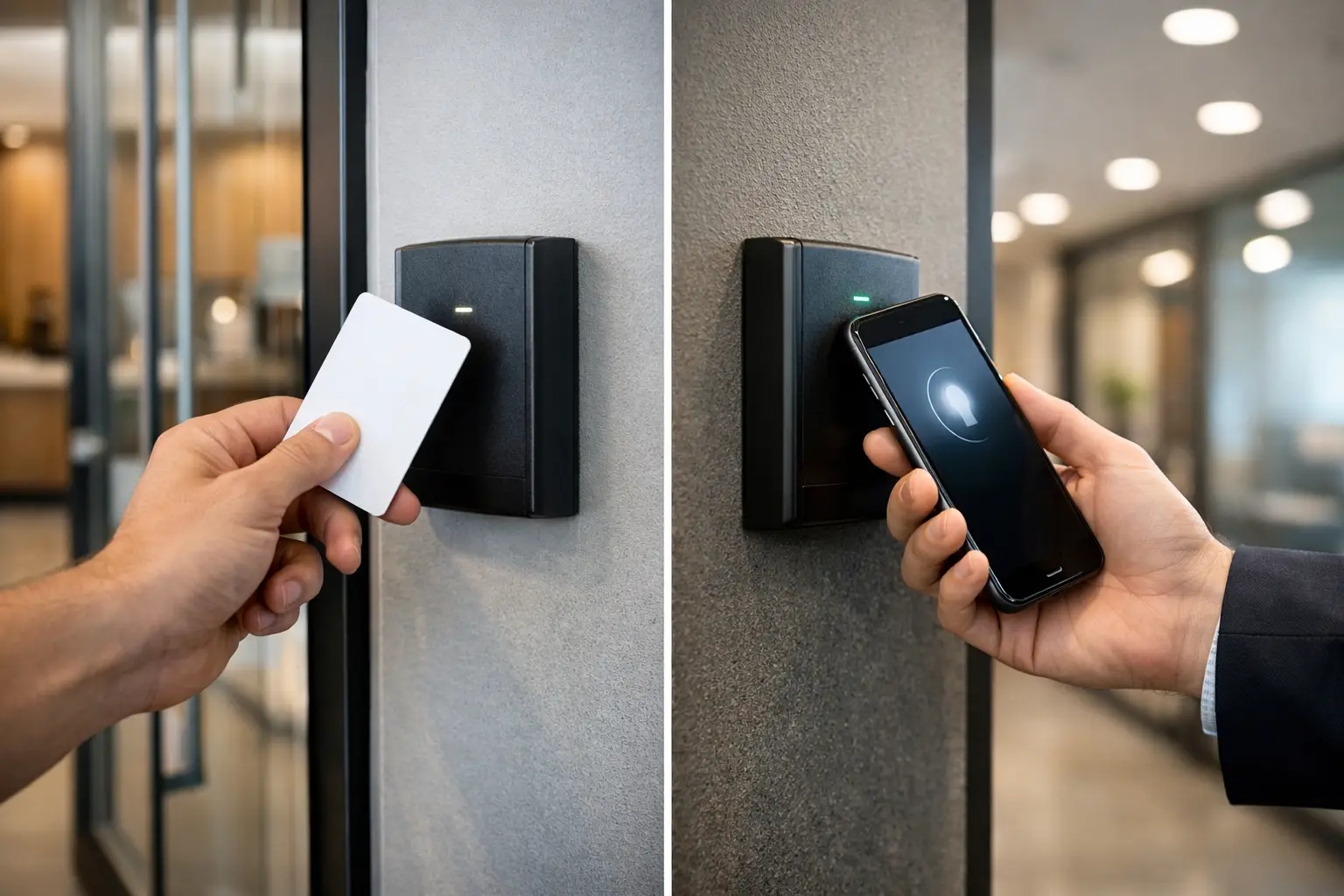
A staff member arrives before opening time, their phone is at 3% battery, and a delivery contractor is waiting at the loading dock. That ordinary moment is where the keycards versus mobile credentials decision becomes practical. Access control is not only about how a door opens. It affects staffing, visitor management, incident response, building operations, and the reliability people experience every day.
For commercial properties, strata buildings, healthcare settings, and high-end residences, the right choice is rarely a simple replacement of cards with phones. It is a design decision that should account for users, doors, existing infrastructure, security policy, and how the access platform connects with intercoms, CCTV, alarms, and network infrastructure.
Keycards versus mobile credentials: the core difference
A keycard is a physical credential presented to a compatible reader. Depending on the system, it may use proximity, smart-card, or encrypted technology. It is familiar, fast to issue, and independent of a user’s personal phone. A card can also be kept in a wallet, on a lanyard, or assigned to a contractor without requiring an app, account setup, or device compatibility check.
A mobile credential stores the authorization on a smartphone or wearable, usually using Bluetooth Low Energy, NFC, or a digital wallet. The user presents the phone to a reader, often with options for tap-to-open, proximity-based opening, or secure app authentication. Administrators can issue, revoke, and audit credentials from the access control platform without physically handing over a card.
Both can be highly secure when the readers, controller, credential technology, cabling, and administration process are properly specified. The greater risk is often not the credential format. It is relying on outdated card technology, poorly protected controller connections, shared credentials, weak enrollment procedures, or an access system that was never designed to grow with the property.
Where physical keycards remain the better fit
Keycards still solve several operational problems very well. They are especially useful where access must work for a wide and changing range of people, including temporary staff, contractors, cleaners, students, visitors, and shift workers. A physical card requires little training and does not depend on someone owning a compatible, charged phone.
They also provide a clear boundary between personal devices and workplace access. Some organizations prefer not to ask employees to install an access app or use their own phone for building entry. In regulated, industrial, education, and unionized environments, that distinction may matter as much as technical convenience.
A card is also easy to hold at a reception desk as a ready-to-issue backup. If a staff member loses a phone, changes devices, or has battery trouble, a spare card prevents a minor technology issue from becoming an operational interruption. For a facility with security-sensitive rooms, cards can be assigned by role and recovered immediately when a contractor’s work is complete.
The trade-off is administration. Cards have to be ordered, encoded, distributed, replaced, and collected. A lost card must be disabled promptly. In larger sites, those small tasks become a recurring workload, particularly where turnover is high or several managers control different areas.
Why mobile credentials appeal to modern properties
Mobile credentials reduce the physical handling of cards and can make access easier to manage at scale. A new employee can receive access remotely before their first day. A credential can be removed as soon as a tenancy ends or a contractor’s authorization expires. In a well-configured platform, administrators can apply schedules, door groups, and access rules consistently across a portfolio of sites.
For residents and homeowners, a phone-based credential can be particularly useful alongside a video intercom. A resident can answer an intercom call, confirm who is at the entrance, and grant appropriate access without searching for a fob. In premium residential projects, the same connected design can coordinate gates, common-area doors, garages, and selected building amenities while keeping permissions separate for residents, guests, tradespeople, and building managers.
Mobile credentials can also improve traceability. A credential belongs to an identified user account rather than a card that may be casually handed to another person. That does not eliminate misuse, but it makes access events more meaningful when reviewed alongside camera footage, intercom calls, or alarm activity.
Convenience should not be oversold, however. Mobile access depends on supported phones, operating-system policies, enrollment procedures, and reader configuration. Bluetooth range needs careful tuning so doors do not respond too early or fail to detect a user consistently. NFC behavior, digital wallet support, and whether the phone needs to be unlocked can differ by platform and device. These details should be tested before a deployment is standardized.
Reliability requires a planned fallback
The question is not whether a phone or card is more reliable in isolation. It is whether the entire access system remains usable when ordinary exceptions occur. Phones run out of battery, are replaced, or may not be permitted in certain work areas. Cards are forgotten, damaged, copied if older technology is used, or retained after a person’s access should have ended.
A practical approach is often a mixed credential model. Employees or residents may use mobile credentials for daily entry, while physical cards remain available for reception, emergency issue, approved contractors, and contingency access. High-security doors may require a credential plus PIN, a mobile credential plus biometric verification where appropriate, or different rules based on time and user role.
The physical door hardware matters just as much. Correctly selected locks, door position monitoring, request-to-exit devices, emergency egress, battery-backed power supplies, and controller enclosures determine how the door behaves during a fault or power event. Credential choice cannot compensate for poor door hardware design.
Security depends on the credential and the system around it
Not all keycards provide the same protection. Older low-frequency proximity cards can be easier to clone than modern encrypted smart credentials. Likewise, not every mobile credential deployment has the same level of identity verification, device security, or administrative control.
A professionally designed system should use current, encrypted credential technology and secure communication between readers and controllers where supported. It should also define who can create credentials, who can change access groups, how lost credentials are reported, and how regularly access permissions are reviewed. An audit trail is useful only if someone has ownership of it.
For sites with higher risk, access events can be tied to CCTV recording. A forced door, an after-hours entry, or access denied event can prompt the relevant camera view for investigation. Integration with intrusion alarms can restrict selected doors when an area is armed, while an intercom can provide a controlled pathway for visitors rather than relying on someone to hold a door open.
This is where connected system design matters. Access control should not sit on an isolated network switch with no consideration for power, network segmentation, camera coverage, or building workflows. Structured cabling, managed UniFi networking, appropriate controller placement, and electrical planning create a more dependable foundation for every connected system around the door.
Consider visitor access before selecting a platform
Visitor access is often the point where a promising access system becomes difficult to operate. A property may handle delivery drivers, cleaners, maintenance providers, family members, agents, tenants, clients, and short-term contractors. Each group needs a different level of access and a different expiry period.
Physical visitor cards are simple when there is a staffed desk and a clear sign-in and return process. Mobile visitor credentials are useful when access needs to be issued remotely for a limited time, especially for contractors arriving outside reception hours. For either approach, access should expire automatically rather than depend on someone remembering to remove it later.
Do not give every visitor the same permissions as a full-time employee or resident. Limit doors, schedules, and dates to the actual purpose of the visit. Where accountability is needed, combine temporary credentials with intercom verification and camera coverage at key entries.
Choosing the right model for your property
A card-first model is often appropriate for sites with shared shifts, large contractor populations, strict personal-device policies, or a need for immediate walk-up credential issue. A mobile-first model may suit offices, residential communities, and multi-site operations where remote administration and user convenience are major priorities.
For many projects, the strongest answer is neither card-only nor phone-only. It is a platform that supports both from the beginning. That avoids forcing every user into one method and makes future changes less disruptive. Readers can be selected to support current encrypted cards and mobile credentials, while the controller and software are sized for additional doors, intercom integration, and changed tenancy needs.
During design, map the daily journeys through the property: arrival, parking or gate entry, lobby access, elevator or common areas, work zones, restricted rooms, deliveries, after-hours access, and emergency exit. Then identify who uses each door and what evidence or automation should follow an event. This produces a system that works as one, rather than a collection of readers added door by door.
The best credential is the one people can use confidently without weakening control of the building. Plan for ordinary human behavior, retain a sensible fallback, and make every access decision part of the wider security and building technology design.


