



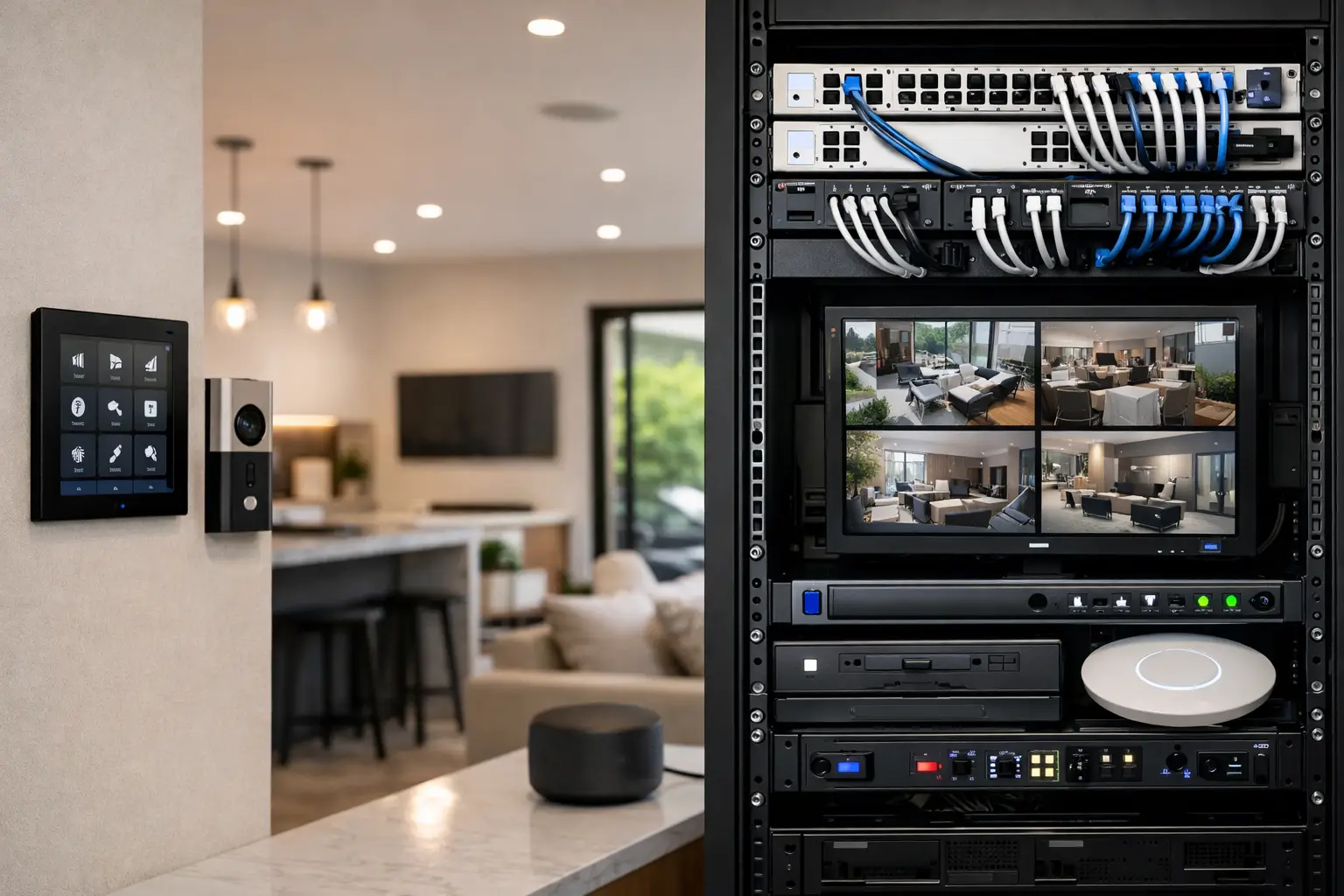
The most expensive technology decision in a new home is often the one made after the drywall is finished. A wireless camera may solve an immediate problem, but it cannot replace the power, cable pathways, network capacity, and centralized control planning that should have happened during construction. This new build technology guide focuses on the infrastructure that lets security, lighting, networking, AV, and automation operate as one dependable system.
For homeowners, builders, and property decision-makers, the goal is not to fill a house with smart devices. It is to create a practical foundation that supports the way the property will be used now and remains flexible as needs change. The best results come from coordinating technology design with electrical, joinery, HVAC, and architectural plans before rough-in.
New Build Technology Guide: Plan the Backbone First
Connected systems are only as reliable as the infrastructure behind them. Wi-Fi is essential, but it should not be treated as the answer to every device. Fixed equipment such as CCTV cameras, access points, televisions, intercoms, desktop workstations, and many automation controllers benefit from structured cabling. A wired connection provides consistent performance, reduces wireless congestion, and makes future diagnostics far easier.
Start by identifying a secure, ventilated location for a communications cabinet or equipment rack. This space may hold the router, UniFi switching, patch panels, backup power, security recorder, alarm panel, and automation hardware. It needs sufficient power, cooling consideration, service access, and room for expansion. A small cupboard with no ventilation may be adequate for basic internet equipment, but it becomes a poor fit once security, AV distribution, and automation are added.
Cat6 or higher cabling should be considered for every location where a fixed connection may matter. That includes ceiling positions for wireless access points, camera locations, TV walls, offices, gate intercoms, and selected outdoor areas. Conduit is equally valuable in difficult-to-access runs, particularly to gates, driveways, roofs, and feature walls. It costs relatively little during construction and can prevent invasive work later.
Power planning belongs in the same conversation. Cameras, access points, and intercoms can often use Power over Ethernet, reducing the need for local power outlets. Lighting control panels, motorized blinds, AV equipment, and outdoor access hardware each have different electrical requirements. When these systems are reviewed together, the electrical design supports the technology instead of forcing compromises afterward.
Design Wi-Fi as a Building Service
Strong Wi-Fi is not achieved by placing a single router in a study. Modern homes may have streaming televisions, phones, tablets, work devices, cameras, appliances, speakers, and guest connections active at the same time. Building materials also matter. Concrete, steel, stone, insulated glazing, and large floor plans can weaken coverage significantly.
A professionally designed UniFi network uses wired access points placed for coverage, capacity, and appearance. Ceiling-mounted access points are often preferable because they provide broad, even coverage without relying on extenders. Outdoor access points may be needed around pools, entertaining areas, gates, and detached structures.
Network segmentation is another practical consideration. Security cameras, guest devices, business equipment, and personal devices do not necessarily need to share the same network. Separating them can improve security, simplify troubleshooting, and prevent a guest device from affecting essential systems. The right design depends on the property and the owner’s needs, but the principle is consistent: a connected home needs a managed network, not an assortment of unrelated wireless products.
Treat Security as Part of the Property Design
Security works best when coverage, entry points, lighting, and daily movement around the property are considered together. Camera positions should be selected from site plans, not after landscaping and exterior finishes limit the options. A well-positioned camera can capture faces, vehicles, and approach paths clearly. A poorly positioned one may record only glare, shadows, or the top of a person’s head.
CCTV systems from platforms such as Dahua or Hikvision can provide high-resolution recording, remote viewing, intelligent event detection, and targeted alerts. The value is not simply having more cameras. It is designing coverage that answers useful questions: Who approached the front entry? Which vehicle entered the driveway? Has a delivery arrived? Is an after-hours area occupied?
Alarm systems also need early planning. Consider doors, windows, internal movement areas, garages, and any detached buildings. A back-to-base monitoring option may be appropriate for properties that need a professional response pathway rather than app notifications alone. For commercial sites, alarm design should align with access control, staff schedules, keyholding procedures, and operational risk.
Video intercoms and access control deserve the same attention. An Akuvox intercom at a pedestrian gate, for example, can be far more useful when it is paired with reliable network cabling, gate release wiring, lighting, and appropriately positioned cameras. In a commercial building, credentialed access can provide clearer control over staff and contractor entry than physical keys, while retaining an audit trail where required.
Make Lighting Control Useful, Not Performative
Smart lighting should improve comfort, safety, and energy management without making ordinary tasks complicated. The strongest lighting designs preserve intuitive wall controls while adding automation where it delivers a real benefit. That may include entry lighting after dark, pathway lighting when a gate is opened, all-off control at bedtime, or scene control for entertaining.
DALI-2 lighting and platforms such as Zen Control are particularly valuable where a project needs precise dimming, zone control, scene recall, and long-term serviceability. They are not necessary for every room or every project. A smaller home may benefit more from thoughtfully selected dimming circuits and a limited number of high-value scenes. Larger residences, hospitality spaces, and commercial environments often justify a more advanced lighting control architecture.
The trade-off is planning complexity. Lighting control requires early coordination with the electrical design, fixture schedule, switch locations, and cabinet space. However, that coordination avoids the common outcome of attractive lighting fixtures controlled by a confusing mix of apps, switches, and incompatible systems.
Choose an Automation Platform Around Real Routines
Apple Home and Home Assistant can both provide a clear, unified way to operate connected systems, but they serve different requirements. Apple Home is a strong fit for households invested in the Apple ecosystem that want straightforward control of lighting, climate, selected security devices, and scenes. Home Assistant offers greater flexibility for properties with more complex integrations, custom logic, energy monitoring, or a broad mix of supported equipment.
Platform choice should follow the desired experience, not the newest feature list. Ask what should happen automatically, what should remain manual, and who will maintain the system over time. For example, it may be useful for a “goodnight” command to secure selected doors, turn off common-area lights, lower shades, and adjust climate settings. It is less useful if routine actions are hidden behind complicated dashboards that only one person understands.
Reliable automation also needs sensible fallback behavior. Physical switches must still operate lighting. Access control should continue to function appropriately if internet service is unavailable. Critical security equipment should have battery backup where required. A professionally integrated system is designed for normal daily use and for the moments when a network device, power supply, or cloud service is unavailable.
Reserve Space for Audio Visual and Future Changes
TV walls, theater rooms, outdoor entertainment areas, and distributed audio are much easier to deliver cleanly during a new build. Prewire speaker locations, television data points, conduit behind display walls, and equipment locations before finishes are installed. This allows screens and speakers to be positioned intentionally, without visible cables or last-minute compromises.
It also helps to plan for the spaces that may change. A spare cable to a home office, provision for an EV charger, conduit to a future pool house, or additional capacity in the electrical panel can protect the property from costly alterations. Not every possible upgrade needs to be installed on day one. The key is to make future work possible without reopening completed walls.
Coordinate Trades Before Rough-In
The technology design should be reviewed alongside electrical plans, reflected ceiling plans, cabinetry, landscaping, gates, and mechanical systems. This is where many projects either become cohesive or become a collection of disconnected installations.
A single coordinated design can establish equipment locations, cable routes, camera views, access point positions, control interfaces, and responsibility between trades. It also creates a clearer commissioning process at handover. Rather than receiving multiple apps and incomplete instructions, the owner receives a system designed to work as one.
For projects across Sydney and NSW, Alpha Security Corp brings licensed electrical capability together with security, networking, and automation design. That combination matters because the physical infrastructure and the user experience are closely connected.
A new build gives you one opportunity to place the right infrastructure behind the walls. Use it to create a property that feels simple to operate, protects the people using it, and can adapt without being rebuilt around the next technology change.


