



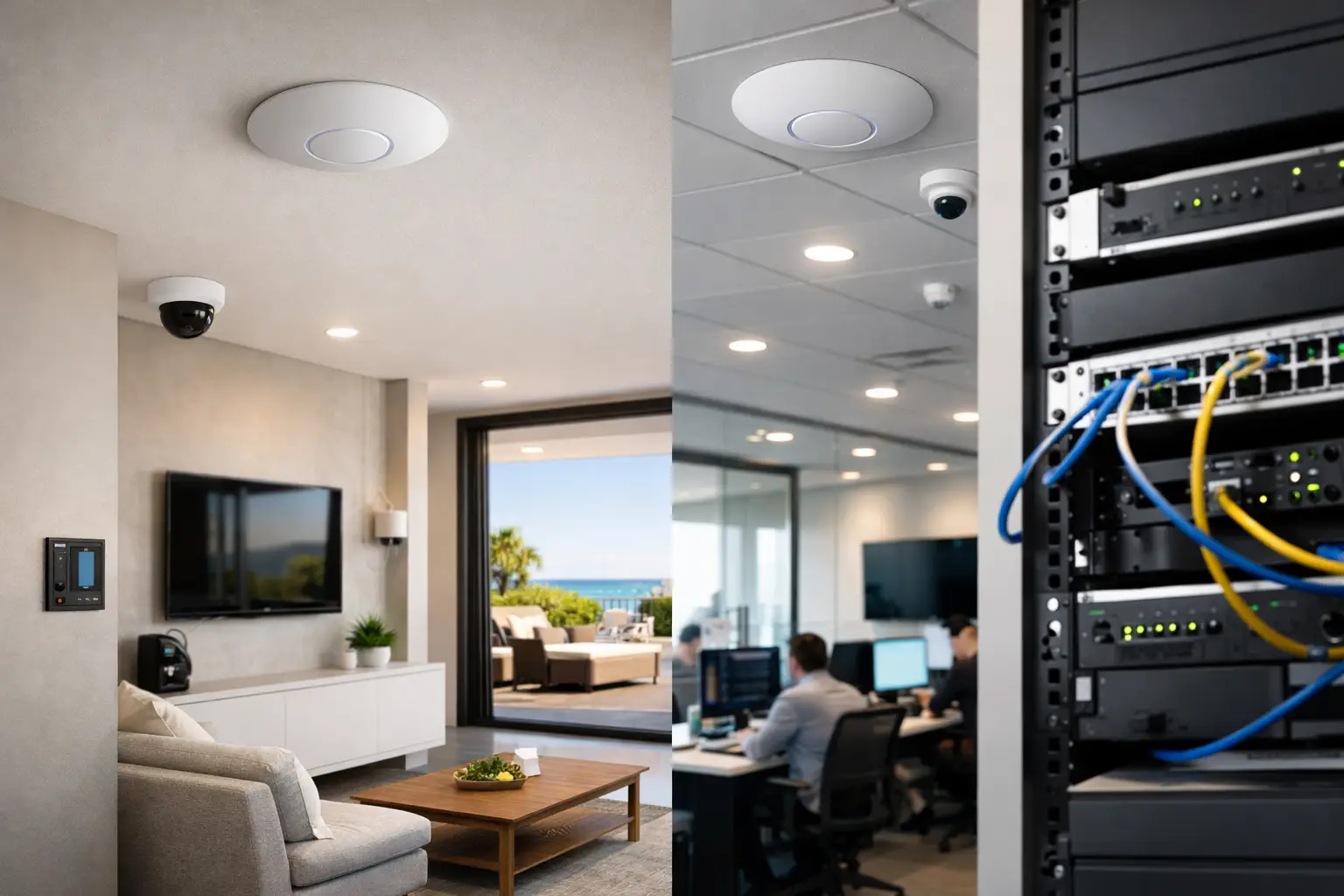
If your cameras buffer when someone walks to the far end of the house, your video calls drop in a glass-walled office, or your smart home works well in one room and poorly in the next, the issue is rarely the internet plan alone. A proper UniFi wifi review has to start with the real bottleneck: wireless design, access point placement, cabling, and how the network supports everything else on the property.
UniFi has earned its place in premium residential and commercial projects because it sits between basic consumer mesh kits and full enterprise networking. It gives you stronger control, better visibility, and cleaner scalability than most off-the-shelf systems, without forcing every site into a heavyweight enterprise platform. That said, UniFi is not automatically the right fit for every building or every budget. The value comes from how well it is designed into the wider system.
UniFi WiFi review: what stands out
The strongest part of UniFi is not a single access point model. It is the platform approach. UniFi access points, switching, gateways, and management software are designed to work together, which matters when Wi-Fi is carrying more than phones and laptops. In a modern home or commercial site, the wireless network often supports CCTV viewing, intercom use, voice assistants, streaming, mobile access control credentials, and smart automation apps. If the network is unstable, everything built on top of it feels unstable.
UniFi performs well in that environment because it gives integrators control over network behavior instead of hiding everything behind simplified consumer settings. You can segment devices properly, tune coverage, manage guest access, monitor performance, and expand the system without replacing the entire platform. For properties that expect long-term growth, that matters more than headline speed claims.
From a user perspective, UniFi also tends to feel more consistent day to day. Roaming between access points is usually smooth when the system is planned correctly. The management interface is clear enough for property owners to understand the basics, but deep enough for professional support when more advanced tuning is needed.
Where UniFi performs best
UniFi is particularly strong in larger homes, multi-story renovations, new builds, offices, retail spaces, and mixed-use properties where one wireless router is never going to do the job properly. In these environments, the priority is not just coverage. It is consistent performance across the whole floor plan, with enough capacity for many devices running at once.
That is a key distinction. A network can show full signal bars and still perform poorly if too many clients are fighting for airtime, if access points are placed in the wrong locations, or if construction materials are blocking signal paths. UniFi gives more flexibility to solve those problems with the right combination of access points and switching.
For smart homes, UniFi is a strong match because many automation issues are really network issues. Devices disconnect, apps feel slow, camera feeds lag, and voice commands fail because the wireless layer was never designed properly. A well-planned UniFi deployment supports not only entertainment devices but also the broader ecosystem, including Apple Home, Home Assistant, intercoms, and security platforms.
In commercial settings, the advantage shifts slightly toward management and segmentation. Staff devices, guest Wi-Fi, cameras, point-of-sale terminals, access control hardware, and office systems should not all sit on the same flat network. UniFi makes it practical to separate traffic and apply sensible policies without overcomplicating the site.
Performance in the real world
Pure speed is not the main reason professionals specify UniFi, although performance is generally very good with current Wi-Fi 6 and Wi-Fi 7 hardware. What matters more is stability under load and predictable behavior over time.
In a properly designed installation, UniFi handles dense device environments well. That includes houses with dozens of connected clients and business sites where staff, visitors, cameras, and operational devices all rely on the same network infrastructure. The platform is also strong at maintaining good roaming behavior, which is important in long homes, concrete builds, and office layouts with multiple coverage zones.
There are limits, of course. No wireless platform can overcome poor placement, lack of cabling, or unrealistic expectations from a single access point trying to cover a large property. UniFi can expose those limitations more clearly because the platform gives you visibility into signal strength, client distribution, and channel use. That is useful, but it also means the system benefits from proper planning rather than guesswork.
Management and usability
One of the best reasons to choose UniFi is centralized management. That applies whether you are running a single high-end residence or a multi-tenant commercial site. The interface makes it relatively easy to see access points, client devices, network health, and traffic patterns in one place.
For homeowners, this means less mystery when something is not behaving properly. For businesses and property managers, it means fewer blind spots. The system can be monitored, maintained, and expanded without piecing together equipment from unrelated brands.
This is also where UniFi compares favorably with many consumer mesh products. Consumer systems are designed to be simple, which is helpful up to a point. But once you need VLANs, better guest controls, separate networks for automation devices, fixed IP planning, or more deliberate access point tuning, those products often run out of room quickly. UniFi gives more headroom without becoming unmanageable.
The trade-offs in any honest UniFi wifi review
UniFi is not perfect, and a credible UniFi wifi review should say that plainly.
First, UniFi is best when installed as part of a planned network, not as a random hardware purchase. If someone buys access points without considering cabling, gateway performance, switching, rack space, backup power, or wireless cell overlap, the result may be underwhelming. The hardware can be excellent and still be let down by poor design.
Second, the platform rewards technical understanding. The interface is cleaner than many enterprise systems, but it still exposes real networking decisions. That is a strength for professional installations and an occasional frustration for users expecting a plug-and-play consumer experience.
Third, firmware and feature rollouts can be a mixed picture. UniFi adds useful features and improves the platform regularly, but any evolving ecosystem needs measured change control, especially on business and security-critical sites. For serious properties, updates should be managed thoughtfully rather than applied casually.
Finally, UniFi is not always the best answer for every site. A very small apartment may not need this level of infrastructure. A highly specialized enterprise environment may call for another platform. The right answer depends on the building, the devices, and the role the network plays in the wider property system.
Why integration matters more than hardware alone
The biggest mistake in network buying is treating Wi-Fi as a separate utility instead of foundational infrastructure. In practice, the network underpins security, automation, AV, remote access, and day-to-day usability. If the wireless layer is weak, the rest of the system feels unreliable even when the individual products are good.
That is why UniFi often makes sense in integrated projects. It works well alongside structured cabling, PoE switching, security cameras, smart intercoms, access control, and control platforms such as Apple Home and Home Assistant. Instead of building around isolated gadgets, you build a network that supports the whole property.
For new builds and major renovations, this is where the platform is especially compelling. Access point locations can be planned around the architecture. Cabling can be installed cleanly. Rack equipment can be sized properly. Coverage can be designed around how the building will actually be used rather than patched afterward.
Retrofit projects can also benefit, but expectations should be realistic. Existing cabling paths, finish constraints, and building materials may shape the final design. A good installer works with those limitations rather than pretending they do not exist.
Is UniFi worth it?
For clients who care about reliability, visibility, and integration, UniFi is usually worth serious consideration. It offers a strong balance of performance, control, and scalability, particularly for homes and businesses where the network is supporting security, automation, and operational systems rather than just casual browsing.
Its real strength is not that it is fashionable or full of flashy consumer features. It is that it can be deployed as part of a practical, reliable setup that grows with the property. That makes it a solid choice for custom homes, commercial spaces, and managed sites where poor Wi-Fi becomes everyone’s problem very quickly.
If you are comparing options, the better question is not whether UniFi is good in the abstract. It is whether the wireless system is being designed around the building, the device count, the usage pattern, and the broader technology stack. When those pieces are aligned, UniFi is one of the more capable platforms in its class – and one that tends to age well as the rest of the property becomes more connected.
The most useful way to judge any Wi-Fi platform is simple: does it disappear into the background and let the rest of the property work properly every day? When UniFi is specified and installed well, that is usually exactly what happens.


