



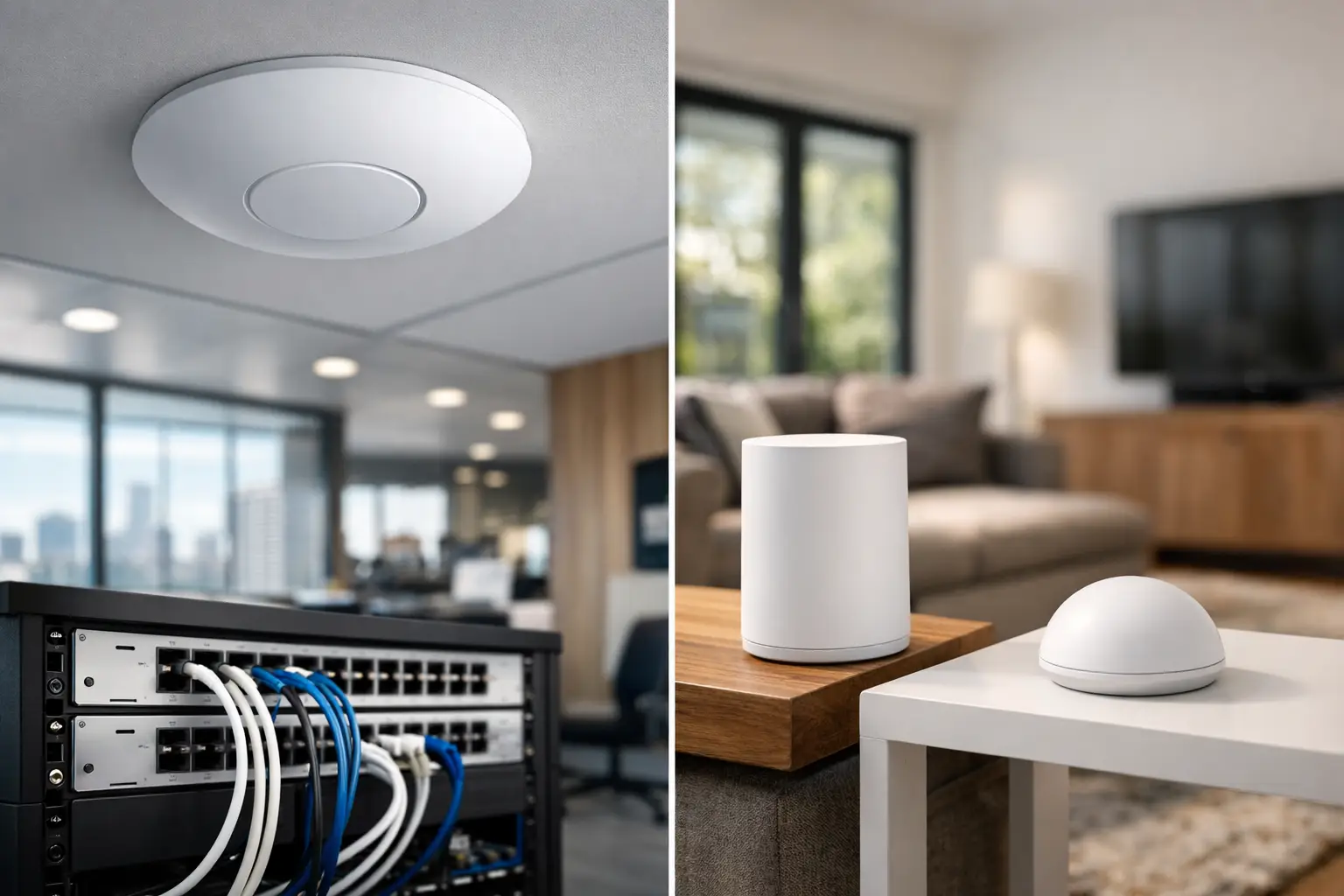
If your video calls drop the moment you walk upstairs, or your cameras struggle at the far end of the property, the UniFi vs mesh wifi question stops being theoretical very quickly. The right answer is not about whichever product category is more popular. It comes down to how the building is wired, how the network will be used, and whether Wi-Fi is supporting basic browsing or an entire connected environment.
For many properties, especially larger homes, renovations, offices, and sites running CCTV, intercoms, access control, streaming, and smart automation, network design matters more than marketing labels. A consumer mesh kit can improve coverage. A properly designed UniFi system can do much more than that. But there are trade-offs, and not every site needs the same approach.
UniFi vs mesh wifi: the real difference
At a basic level, mesh Wi-Fi is usually designed to solve a common household problem: extending wireless coverage without requiring much planning. You place a main router in one area, add satellite nodes around the property, and let them talk to each other wirelessly. It is convenient, and in the right setting, it works well.
UniFi is different in both intent and architecture. It is not just a Wi-Fi product. It is a broader network platform that can include gateways, switches, wireless access points, controllers, cameras, door access, and site-wide management. In a UniFi design, wireless coverage is typically built around dedicated access points placed where they will perform best, often with structured cabling back to the network rack or cabinet.
That difference matters because a mesh system is primarily trying to stretch signal. A UniFi system is usually trying to deliver predictable performance across the whole property.
Where mesh Wi-Fi makes sense
Mesh Wi-Fi has a genuine place. In a smaller home or apartment with limited cabling options, it can be a practical way to improve dead spots without opening walls or running new cable. If the requirement is straightforward internet access for phones, tablets, streaming devices, and a few laptops, a good mesh kit may be enough.
It also suits temporary or transitional setups. If a family has moved into a property before a full renovation, or a builder needs short-term coverage during project delivery, wireless backhaul mesh can be a reasonable stopgap.
The limitation is that mesh nodes often depend on each other over Wi-Fi. Every wireless hop can reduce available throughput and add variability. In a lightly used environment that may not be noticeable. In a property with security cameras, cloud backups, smart TVs, gaming, remote work, and automation traffic all sharing the same airspace, those compromises become more obvious.
Where UniFi stands out
UniFi tends to perform best when the network is treated as infrastructure rather than a retail gadget. If a home or business is being built, renovated, or upgraded properly, cabling can be planned first and wireless access points can be positioned around the actual floor plan instead of wherever there is a convenient power outlet.
That leads to a cleaner result. Rather than one main router trying to do everything from a cupboard or corner of the house, you get purpose-placed access points delivering coverage where people actually use devices. Roaming between areas is generally more consistent, capacity is better distributed, and the network can be segmented for different functions such as guest Wi-Fi, staff devices, CCTV, and home automation.
For commercial sites, strata environments, and larger residences, that level of control is often the difference between a network that appears acceptable on day one and one that remains dependable as more systems are added.
Wireless backhaul vs wired access points
This is where many comparisons become misleading. People often compare mesh performance to UniFi performance without separating wired and wireless deployments.
If UniFi access points are hardwired with Ethernet, they are not wasting airtime talking to each other to maintain coverage. Each access point can focus on serving client devices. That usually means stronger capacity, lower latency, and better consistency under load.
If a UniFi deployment uses wireless uplinks instead of cable, some of the same limitations seen in mesh systems still apply. It can still be managed more professionally, but physics does not change. A wired backbone remains the best approach whenever the property and project allow for it.
Control and visibility
Another major difference in UniFi vs mesh wifi is visibility. Consumer mesh products are typically built to be easy to install and easy to ignore. That is appealing until something goes wrong and there is very little useful information available.
UniFi gives far more insight into the network. You can see access point status, client behavior, traffic patterns, VLANs, signal quality, and device-level issues. In a professionally managed environment, that visibility helps with troubleshooting, future expansion, and keeping critical systems stable.
That matters more than most people expect. Once Wi-Fi supports smart locks, intercoms, alarms, cameras, voice control, lighting integrations, and office devices, connectivity problems are no longer minor annoyances. They become operational issues.
UniFi vs mesh wifi for smart homes
In a premium smart home, Wi-Fi is rarely just about phones and Netflix. It supports the control layer for the entire property. Apple Home, Home Assistant, AV systems, wireless touchscreens, cameras, video doorbells, and user devices all depend on reliable network performance.
This is where UniFi usually makes more sense. Not because it is automatically better in every category, but because it fits integrated design. Networks for smart homes benefit from segmentation, stable roaming, properly placed access points, PoE switching, and the ability to expand without replacing everything.
A mesh kit may cover the home, but coverage alone is not the goal. The goal is a system that works as one. If the network is the foundation beneath lighting, security, AV, and automation, cutting corners there creates problems everywhere else.
What about businesses and commercial sites?
For most business environments, UniFi is the more suitable platform. Offices, medical practices, warehouses, schools, and retail sites usually need better control over guest access, staff devices, cameras, VoIP, printers, and security systems. They also need a setup that can be documented, serviced, and scaled.
Mesh Wi-Fi is rarely ideal in those conditions unless the site is extremely small and has minimal demands. Even then, it can become limiting once more devices, staff, or services are introduced.
A professionally designed UniFi network can also align more neatly with broader building systems. That matters when the same provider is coordinating structured cabling, switching, surveillance, intercoms, access control, and smart automation as part of one integrated scope.
The cost question
Mesh is often cheaper upfront. That is one reason it sells well. If your comparison stops at hardware boxes on a shelf, mesh can look like the obvious winner.
But the better question is cost over the life of the property. If a mesh system struggles with coverage, has to be replaced as needs grow, or creates issues for cameras and smart devices, the lower upfront spend does not necessarily translate into better value.
UniFi usually requires more planning, more infrastructure, and in many cases more installation work. That raises the initial cost. It can also prevent years of patchwork fixes, range extenders, poor camera connectivity, and network bottlenecks. For projects where reliability matters, that difference is often justified.
How to choose the right fit
The best choice depends on the building and the brief.
If you have a smaller property, limited expectations, and no practical way to run cable, a quality mesh system may be perfectly reasonable. If the property is larger, built with dense materials, spread over multiple levels, or expected to support integrated security and automation, UniFi is usually the better long-term option.
It also depends on whether you want a product or a system. A product gives you Wi-Fi. A system gives you infrastructure that can support everything around it.
For homeowners planning a renovation or new build, this is the right stage to think beyond internet coverage and consider rack location, structured cabling, wireless design, switching, and future device count. For business owners and property stakeholders, it is worth assessing how many services already depend on the network before settling for a simple mesh fix.
A network should not be the weak link in an otherwise well-designed property. If you expect the building to support security, automation, AV, and daily operations without friction, treat Wi-Fi as part of the broader system design, not an afterthought bought to solve a dead spot.


