



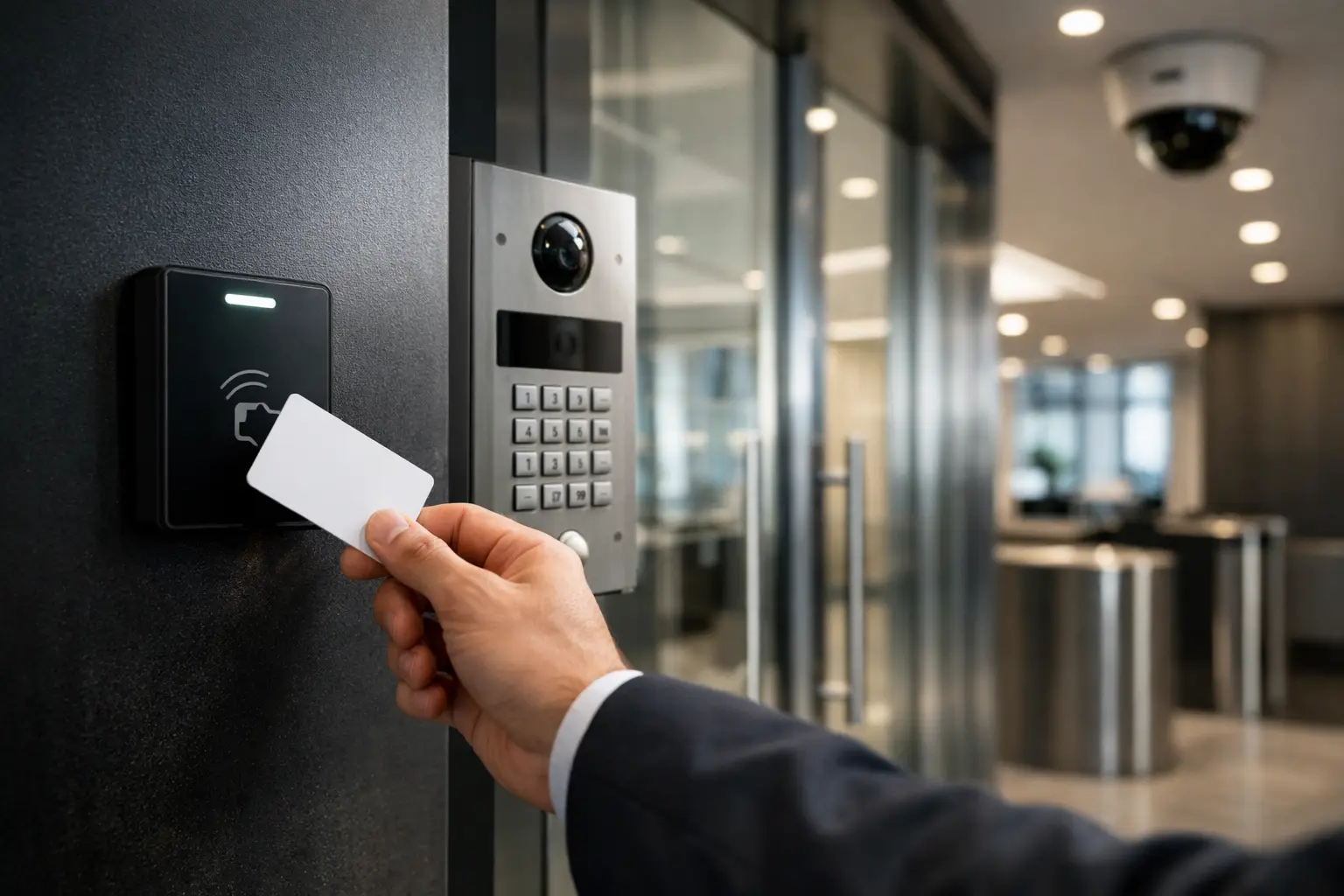
A lost key is inconvenient. A former employee retaining access to a server room, warehouse, or shared office is an operational risk. The best commercial access control systems replace uncertain key management with clear rules: who can enter, where they can go, when access applies, and what happened at each door.
For commercial properties, the right system is rarely the one with the longest feature list. It is the one designed around the building, daily workflows, network infrastructure, fire and life-safety requirements, and the level of reporting the business actually needs. A single office suite and a multi-building industrial site may both use card readers, but they should not be planned the same way.
What Makes a Commercial Access Control System Effective?
An effective system gives management control without making entry difficult for authorized people. Staff should be able to move through normal work areas quickly, while sensitive spaces have deliberate restrictions and a reliable audit trail.
That starts with the controller architecture, not the reader mounted beside the door. Controllers should continue enforcing local access rules if the internet connection is interrupted. Doors should be monitored for forced entry or being held open, and the system should identify the credential used at a specific time. This matters after an incident, but it is equally useful for everyday questions such as whether a contractor has arrived or whether a restricted area was accessed outside normal hours.
The best designs also account for the physical door. Electric strikes, magnetic locks, door closers, request-to-exit devices, emergency break-glass units, and compliant fire egress arrangements must work together. Access control is an electrical and security system, not simply an app and a reader.
Best Commercial Access Control Systems by Site Need
There is no universal winner because the best platform depends on scale, occupancy, security requirements, and how much integration is needed. These are the main system approaches worth considering for commercial sites.
Networked card and mobile credential systems
For offices, professional suites, education facilities, and managed commercial buildings, networked systems using cards, fobs, or mobile credentials provide a practical balance of security and convenience. Administrators can issue, suspend, or change access permissions without collecting physical keys. Access can be assigned by role, time schedule, door group, or temporary expiration date.
Mobile credentials can reduce the need to distribute cards, particularly for staff who already carry a managed smartphone. They are useful, but they should not be adopted purely because they appear modern. A physical card or fob remains a sensible backup for visitors, contractors, staff without compatible phones, and continuity during device changes.
For multi-door sites, select a platform that can organize people and permissions cleanly. If the administration screen becomes confusing after 50 users or 10 doors, it will become a liability as the business grows.
Enterprise-grade systems for high-risk and multi-site operations
Larger sites often need stronger permission structures, more detailed reporting, partitioned administration, and the ability to manage several facilities from a central point. Warehouses, healthcare environments, strata portfolios, logistics operations, and corporate campuses may require different access profiles for employees, tenants, cleaners, security staff, delivery drivers, and external contractors.
These systems are well suited to anti-passback rules, elevator access, muster reporting, visitor workflows, and approval-based access changes. The trade-off is that enterprise platforms require more disciplined planning. Door names, user groups, site maps, credential policies, and escalation procedures need to be established from the beginning.
A scalable platform costs more to design properly, but it avoids a common problem: a site outgrowing an entry-level installation and needing to replace controllers, credentials, and administration processes only a few years later.
Video intercom and tenant entry systems
For shared offices, medical suites, apartment-linked commercial spaces, and gated facilities, an intercom is often the first point of access control. Video intercom platforms such as Akuvox can provide directory calling, remote release, visitor records, and communication between entrances and occupants.
An intercom should not operate as an isolated convenience device. When integrated with access control, CCTV, and the site network, it can support a clearer visitor process. Reception or designated staff can verify a visitor, release the correct door, and review related footage if there is a dispute or security event.
The key decision is where remote unlocking is appropriate. A front entry during business hours may suit controlled remote release. A server room, loading dock, or restricted storage area usually should not.
Unified access control and video management
Access events become far more useful when they can be matched with video. If a door is forced open or a credential is used after hours, a security team should be able to review the relevant camera footage quickly rather than search through hours of recordings.
Commercial CCTV platforms from Bosch, Dahua, and Hikvision can be designed alongside access control to provide this operational context. The integration should be planned carefully, including camera coverage at doorways, retention requirements, user permissions, and whether alerts are monitored on site or sent to a response service.
This approach is particularly valuable at warehouses, retail back-of-house areas, education sites, and properties with multiple entry points. It does not mean every reader needs a camera pointed at it. It means cameras should support meaningful verification at higher-risk doors and traffic areas.
Credentials, Readers, and Door Hardware Need to Match
A well-selected platform can still perform poorly if its field hardware is not appropriate for the site. Exterior readers need to withstand weather and expected use. Warehouse doors may need industrial-grade hardware. Glass doors, fire-rated doors, sliding gates, turnstiles, and elevator lobbies each require different locking and interface arrangements.
Credential technology also deserves attention. Older proximity cards are common, but newer encrypted smart credentials provide better protection against copying and can support a more future-ready installation. The decision should consider existing cards, budget for replacement, the consequences of credential duplication, and whether the business expects to use mobile access later.
For sensitive rooms, multi-factor access may be justified. This could combine a card with a PIN, or require a second verification method. It adds friction, so it is best reserved for spaces where the risk supports it, such as data rooms, pharmaceutical storage, cash handling areas, or controlled records rooms.
Cloud, On-Premises, or Hybrid Management?
Cloud-managed access control is attractive because administrators can manage users and review activity from authorized devices without maintaining a dedicated local server. It is often a strong fit for businesses with several sites or limited internal IT resources.
On-premises management can suit organizations with strict data policies, existing server infrastructure, or a preference for local control. It may also offer deeper customization in some environments. However, it requires a clear plan for backups, updates, remote support, and the person responsible for administration.
A hybrid approach can provide local controller resilience while using secure remote management and centralized reporting. The right choice depends on business policy and network design, not a blanket preference for cloud or local systems.
Access Control Depends on Reliable Network and Power Design
Door controllers, cameras, intercoms, and management workstations rely on dependable cabling, switching, power, and network segmentation. Poor Wi-Fi coverage should not be treated as the transport layer for a critical door system when structured cabling is practical. For larger sites, professionally designed UniFi networking and structured cabling can provide the visibility and separation needed to support security infrastructure properly.
Access control should be placed on an appropriately managed network, with secure remote access, documented IP addressing, battery-backed power where required, and clear labeling. This makes future maintenance faster and reduces the risk of an unrelated IT change taking a door offline.
Power planning is equally important. Locks, controllers, and exit devices must operate correctly during normal conditions and respond safely during an emergency. Licensed electrical and security installation capability is valuable here because door hardware, power supplies, cabling routes, and compliance requirements are coordinated as one system.
Questions to Ask Before Selecting a System
Before comparing platforms, map how the property is actually used. Identify every controlled opening, including staff entrances, internal restricted rooms, gates, loading areas, shared amenities, and after-hours access points. Then consider these practical questions:
- Who needs permanent, temporary, or visitor access?
- Which doors require schedules, PINs, or higher verification?
- What events need an alert, video verification, or formal report?
- Will the site add doors, tenants, or locations within the next three to five years?
- How will access be managed when staff leave, contractors change, or a credential is lost?
These answers determine the appropriate controller capacity, credential format, reader type, management model, and integration scope. They also reveal whether an intercom, CCTV upgrade, alarm interface, or network improvement should be part of the same project.
For Sydney commercial sites, Alpha Security Corp approaches access control as part of the wider property environment. A door system is more dependable when its network, electrical supply, CCTV coverage, intercom workflow, and ongoing maintenance have been considered together rather than added in separate stages.
The most useful next step is a site-specific access plan that reflects how people move through the building. When access permissions match real operations, the system quietly improves security every day without getting in the way of the people who need to do their work.


