A guide to professional WiFi design starts well before selecting access points. The difference between WiFi that merely appears to work and WiFi that stays dependable under real use is planning: understanding the building, the devices, the cabling paths, and the systems that will depend on the network every day.
For a home, that may mean video calls, multiroom audio, Apple Home or Home Assistant automations, cameras, and streaming operating without contention. For a business, it may mean staff devices, guest access, POS terminals, access control, CCTV, intercoms, and cloud applications sharing the same physical infrastructure without sharing unnecessary risk. A professional design treats WiFi as part of the property’s core services, not an add-on after construction is complete.
Start With the Building, Not the Hardware
A floor plan is useful, but it is only the beginning. WiFi signals behave very differently through drywall, glass, brick, concrete, steel framing, stone finishes, mirrors, lift shafts, fire-rated walls, and dense shelving. A location that looks central on a plan can be a poor radio location once these materials are considered.
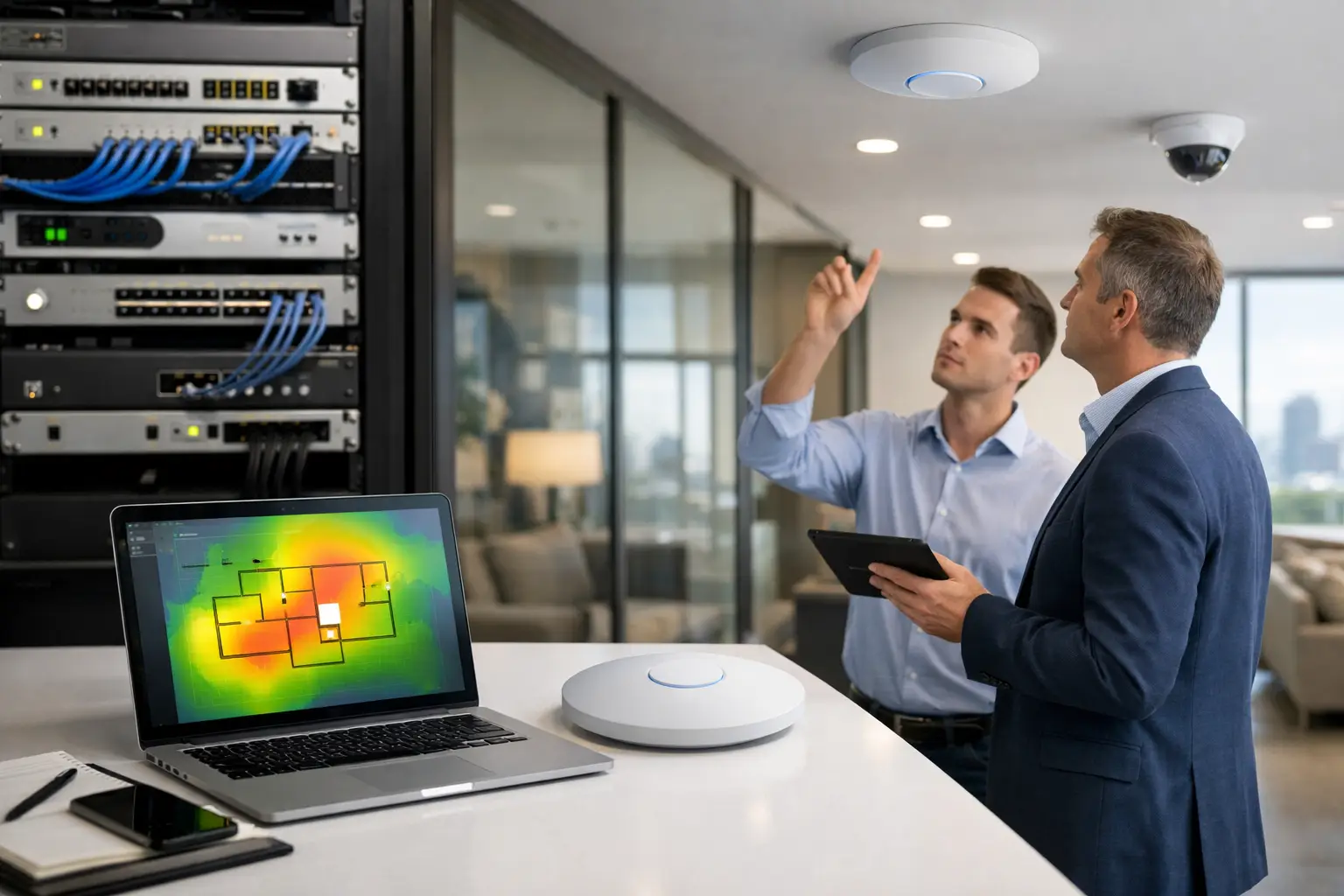
A site survey identifies the physical conditions that shape performance. In an existing property, this often includes checking signal levels, nearby networks, interference sources, likely cable routes, equipment locations, and areas where users actually need reliable service. In a new build, the survey becomes a design review: access point locations can be coordinated with lighting, HVAC, ceiling types, joinery, and electrical works before surfaces are closed.
This avoids a common mistake: placing an access point wherever a cable is easiest to install. Convenient placement may create a strong signal in a hallway while leaving bedrooms, boardrooms, outdoor entertaining areas, or warehouse aisles under-served.
Coverage Is Only One Part of Professional WiFi Design
Strong signal bars do not guarantee a good user experience. Professional WiFi design considers coverage, capacity, roaming, and application needs together.
Coverage answers whether a device can connect at a given location. Capacity addresses whether many devices can connect and perform well at the same time. A large home with a handful of users may need wide, consistent coverage. A small office can need more access points because dozens of laptops, phones, meeting-room devices, cameras, and visitors are active at once.
Roaming is another factor. A phone or laptop should move between access points without lingering on a weak connection. This requires thoughtful access point placement and radio configuration. Adding more access points is not automatically the answer. Too much overlap, especially on crowded channels, can cause clients to compete for airtime and make performance less predictable.
The correct number of access points depends on the building and its use. Open-plan spaces, masonry homes, multi-level properties, hospitality venues, and industrial sites each behave differently. Design should be based on expected service levels, not on a fixed rule such as one access point per floor.
Plan for Real Device Demand
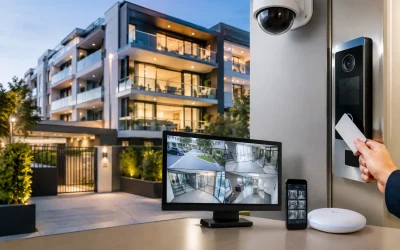
Modern properties generate more network traffic than most owners expect. Security cameras upload video continuously. Video door stations and intercoms need responsive connections. Smart TVs, speakers, lighting hubs, tablets, appliances, and phones all maintain background activity. A busy household can quickly resemble a small office from a network perspective.
Commercial requirements are often more demanding because downtime affects operations. Separate staff, guest, tenant, operational technology, and security traffic may be appropriate. A guest network should not have a path to cameras, access control panels, NAS storage, or building automation controllers. Likewise, a camera system should not be competing with guest streaming traffic on an unmanaged network.
This is where a managed platform such as UniFi can be valuable. It provides centralized visibility of access points, switches, gateways, client activity, and network health. The platform is not a substitute for good design, but it gives an integrated system a practical foundation for monitoring, troubleshooting, and future expansion.
Design for the Applications That Cannot Fail
Not every device has the same priority. A television buffering for a few seconds is inconvenient. An unstable video intercom at a gate, a dropped access-control connection, or a camera stream that fails during an incident is a different level of problem.
Identify critical applications early, then design the wired and wireless network around them. In many cases, fixed devices such as CCTV recorders, desktop workstations, TVs, access control panels, and automation controllers are better connected by structured cabling. Wired connections reduce wireless congestion and provide more consistent performance for devices that do not move.
WiFi should serve mobile devices and locations where cabling is impractical, rather than carrying every connected system simply because it is available.
Structured Cabling Is the Long-Term Advantage
Access points perform best when they are hardwired back to a central network switch. Wireless mesh can have a role in difficult retrofit areas, detached buildings, or locations where new cabling is genuinely not feasible. However, each wireless hop uses airtime that could otherwise serve client devices, and performance can vary as conditions change.
A structured cabling plan creates a more reliable path. Category cabling to ceiling access point locations, work areas, TVs, cameras, intercoms, and equipment racks gives the network room to evolve. Power over Ethernet, or PoE, can supply both data and power to access points, cameras, and many intercom devices over a single cable, reducing the need for local power outlets.
For new construction and major renovations, this work needs coordination before ceilings and walls are finished. It is generally far more cost-effective to install spare conduits, cable pathways, and additional data runs during the build than to retrofit them later. A well-planned rack or communications cabinet also keeps switches, patch panels, backup power, security equipment, and network gateways organized and serviceable.
Use Network Segmentation to Protect the Property
A professionally designed network is not one flat network with a single password. Segmentation separates device groups so that a problem in one area does not expose every other system.
A typical integrated property may use separate networks for trusted users, guests, CCTV, access control, building automation, and other IoT devices. The exact arrangement depends on the systems involved and who needs access. A homeowner may want secure remote visibility of cameras and automation, while visitors receive internet access only. A commercial property may need stricter rules, device logging, and controlled access between tenants or departments.
Segmentation does introduce complexity. Systems that need to communicate, such as a Home Assistant controller and approved smart devices, must be configured deliberately. This is why network design and automation design should be considered together. Isolated systems are easier to install quickly, but integrated systems need clear rules so they remain secure and usable.
Account for Radio Conditions and Channel Planning
WiFi is a shared radio medium. Neighboring networks, Bluetooth devices, cordless equipment, wireless AV products, and even poorly configured access points can affect performance. In dense residential neighborhoods, apartments, offices, and retail precincts, the available radio spectrum can be crowded.
Professional configuration uses appropriate channels, channel widths, transmit power, and band steering based on the environment. Wider channels can offer more throughput in clean spectrum, but they are not always beneficial in dense locations because they consume more available radio space. Lower transmit power can also be the right choice when several access points are installed close together, helping clients roam rather than clinging to a distant access point.
There is no universal setting that suits every site. A reliable setup is measured, configured for the building, and reviewed after installation.
Validate the Installation After It Is Built
The design stage creates expectations. Validation confirms whether the finished system meets them. This should include testing coverage in the intended areas, checking roaming behavior, reviewing access point uplinks, confirming PoE capacity, and verifying that critical devices remain stable under normal use.
For integrated installations, testing should extend beyond WiFi speed tests. Cameras should record and display correctly. Intercom calls should connect reliably. Automation controllers should remain reachable. Guest access should be isolated. Remote management should be secured, and network documentation should identify equipment, cable runs, configurations, and support requirements.
A speed test has value, but it is only a snapshot. Consistency, device stability, and recoverability matter more over the life of the system.
Allow for Growth and Ongoing Support
The right design leaves room for change. A family may add cameras, a pool controller, EV charging, outdoor audio, or additional automation. A business may expand its team, add a meeting space, introduce more access control doors, or install new security cameras. Switch capacity, PoE budget, rack space, cable pathways, and access point locations should account for realistic growth.
Ongoing management also matters. Firmware updates, security reviews, device replacement, configuration backups, and fault diagnosis are easier when the network is documented and centrally managed. Alpha Security Corp approaches networking as part of the wider connected environment, coordinating UniFi networking, structured cabling, security, AV, and smart-property systems so each layer has a clear role.
The best time to make decisions about WiFi is when changes are still easy to make. Whether you are planning a new build, renovation, strata upgrade, or commercial fit-out, begin with how the property needs to work on an ordinary busy day. That practical view leads to a network that supports the space quietly and reliably for years.