



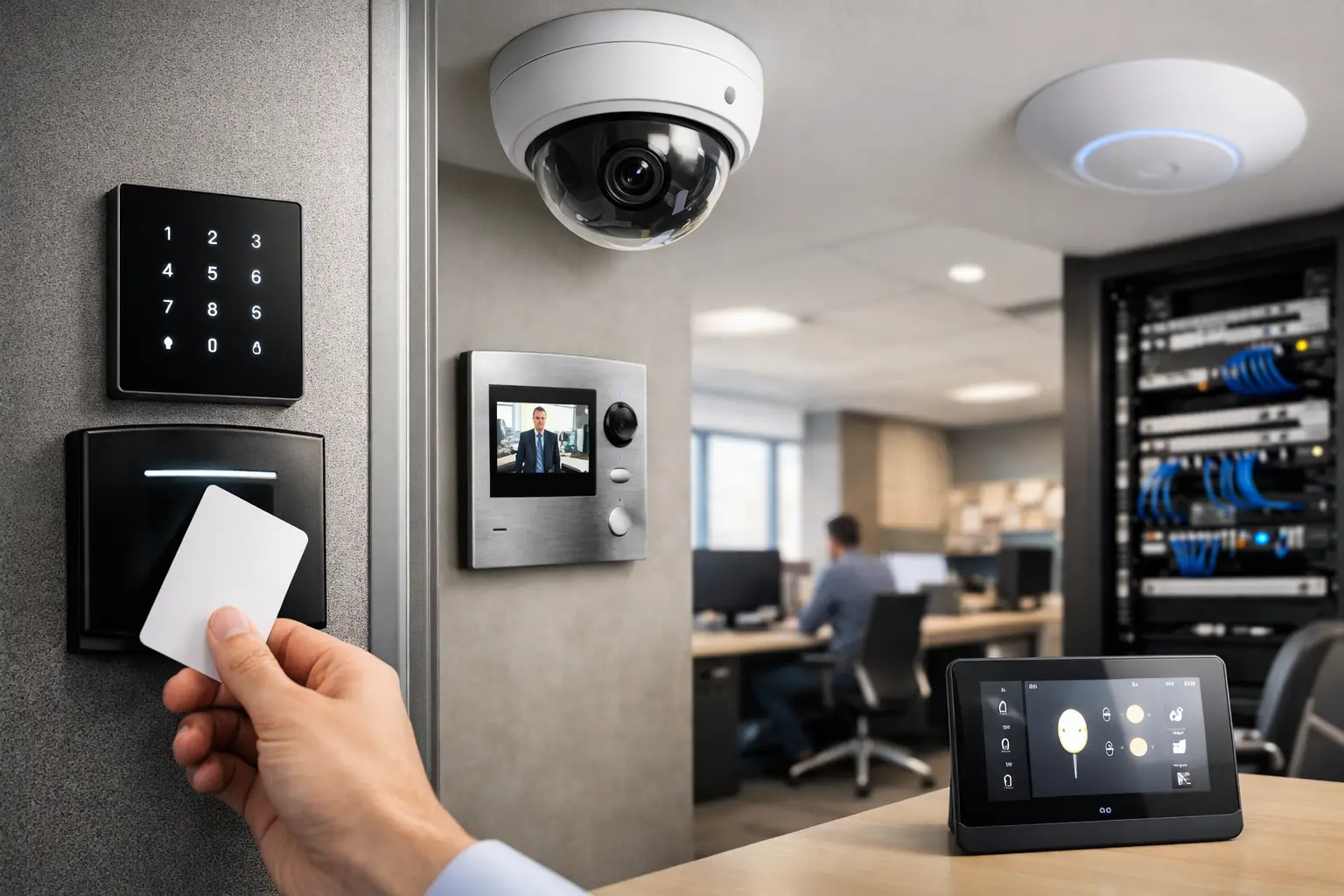
A lost access card, an unlocked side door, or a camera that cannot identify a face can turn a normal workday into an expensive incident. The most effective essential office security upgrades are not isolated devices added after a problem occurs. They are connected systems designed around how people enter, work, receive deliveries, protect information, and leave the building.
For office owners, facility managers, and growing businesses, the goal is clear visibility without making daily operations harder. That requires thoughtful planning across access control, CCTV, alarms, cabling, power, and the network supporting it all.
1. Replace Keys With Managed Access Control
Traditional keys create a simple but persistent problem: once they are copied, lost, or left with a former employee, there is no reliable way to know who can still enter. Rekeying doors is disruptive and costly, particularly in offices with multiple suites, storage rooms, server rooms, or shared staff areas.
Electronic access control changes that model. Staff can use encrypted cards, fobs, mobile credentials, or PINs, while administrators can add, remove, or change permissions from a central platform. A departing employee’s access can be removed in seconds rather than waiting for keys to be returned.
The best design reflects the building’s actual risk areas. Main entry doors may require standard staff access during business hours, while finance offices, IT rooms, records storage, and executive areas may need tighter permissions and an audit trail. For larger sites, access schedules can also reduce the need to leave doors unlocked for cleaners, contractors, or early-shift teams.
A system from platforms such as Bosch, Akuvox, or other commercial-grade access control ecosystems should be selected for the site’s door hardware, user count, reporting needs, and future expansion. The reader, lock hardware, door position sensor, request-to-exit device, and emergency egress requirements all need to work together. Access control is as much a door and electrical design project as it is a security upgrade.
2. Upgrade CCTV for Useful Evidence, Not Just Footage
A camera mounted high in a corner is not automatically useful security. If the image is poorly framed, affected by glare, or stored at too low a resolution, it may provide little value when an incident needs to be investigated.
Modern IP CCTV systems from manufacturers such as Dahua and Hikvision can provide clear coverage of entrances, reception areas, hallways, loading zones, parking areas, and perimeter access points. AI-assisted analytics can distinguish people and vehicles from general movement, helping teams review relevant events instead of hours of empty footage.
Camera placement matters more than simply increasing camera numbers. An entry camera should capture a usable face angle. A loading dock camera may need wide coverage plus a dedicated view of vehicle activity. Reception coverage should account for bright exterior light behind visitors. A site assessment identifies these practical constraints before equipment is selected.
Retention requirements also deserve attention. Higher-resolution cameras and longer retention periods consume more storage and network capacity. The right balance depends on the office’s risk profile, the number of cameras, operational requirements, and any contractual or regulatory obligations. A properly sized network video recorder, surveillance-grade storage, and secure remote access are part of the upgrade, not optional extras.
3. Connect Intrusion Detection to How the Office Operates
An alarm system remains a core layer of office protection, especially outside business hours. But an alarm that is difficult to arm, creates frequent false alarms, or does not match staff routines will eventually be ignored.
A well-designed intrusion system uses door contacts, motion detection, glass-break sensors, and panic devices where appropriate. It can divide the office into separate areas, allowing one team to work late while another area remains armed. This is useful for offices that share a building, operate across multiple floors, or have restricted back-of-house spaces.
Back-to-base monitoring adds another layer of response when the site is unattended. Rather than relying solely on a staff member to see an alert on a phone, monitored systems can follow a defined escalation process. The appropriate response depends on the business, the building’s location, and who is available to act after hours.
Alarm integration also improves the value of CCTV. When an intrusion event occurs, associated camera footage can be reviewed quickly, giving operators context before they decide what action to take.
4. Treat the Network as Security Infrastructure
Many office security issues begin with an overlooked network. Cameras, access controllers, intercoms, alarm communicators, workstations, guest Wi-Fi, and cloud services all depend on stable connectivity. If the network is poorly segmented or overloaded, security devices may drop offline at the moment they are needed.
A business-grade UniFi network, supported by structured cabling, managed switches, appropriate PoE capacity, and battery backup, provides a stronger foundation. Cameras and access control devices can be placed on separate network segments from staff computers and guest Wi-Fi. This helps manage traffic, improves reliability, and limits unnecessary exposure between systems.
Remote viewing should be configured deliberately. Convenience matters for business owners and managers, but it should not mean giving every user unrestricted access to cameras or system settings. Role-based permissions, multi-factor authentication, secure credentials, and regular firmware maintenance are practical safeguards.
For offices planning renovations or growth, install more cabling capacity than the immediate project requires. Adding spare data runs, cabinet space, switch capacity, and pathways during construction is far easier than opening finished walls later. This is one of the most valuable upgrades because it supports both security and broader business technology.
5. Add a Video Intercom at the Real Point of Arrival
Reception desks are not always staffed, and visitors do not always arrive through the main entrance. A commercial video intercom creates a controlled handoff between the perimeter and the workplace.
At a main door, gate, delivery entrance, or parking access point, an intercom allows staff to verify visitors before releasing a lock. Systems such as Akuvox can route calls to designated indoor stations, reception screens, or authorized mobile devices, depending on the office’s workflow.
This is particularly useful for professional offices, medical facilities, warehouses with mixed staff and delivery traffic, and sites where front doors are intermittently unattended. It can also reduce unnecessary movement through the office, since staff can confirm a visitor’s purpose before granting entry.
The trade-off is that an intercom must be supported by dependable network coverage, suitable door hardware, and a clear visitor policy. Technology cannot replace a process for handling deliveries, contractors, or unexpected callers, but it can make that process much more consistent.
6. Use Lighting and Automation to Support Security
Security lighting is often treated as a separate electrical task. It works better when it is planned with cameras, access control, and occupancy patterns.
Exterior and parking-area lighting can be scheduled around business hours, activated by approved sensors, or tied to alarm events. Interior lighting can support safe late-night exit routes and provide a clear visual response when a restricted door is opened. In larger or premium office environments, DALI-2 lighting control can provide flexible zoning, scheduling, and monitoring without sacrificing straightforward daily use.
Automation should be purposeful. For example, the last authorized person leaving an area could trigger a sequence that turns off selected lights, arms that area, and notifies the appropriate manager if a door remains open. It is not about adding novelty. It is about reducing the routine gaps that lead to wasted energy, unsecured spaces, and avoidable callouts.
7. Build a Plan for Maintenance, Permissions, and Growth
Even well-installed systems lose value when no one owns the ongoing administration. Cameras need lens checks and firmware updates. Access permissions need review. Alarm users need current codes and instructions. Network equipment needs monitoring, backup power checks, and capacity planning.
Set a regular review schedule that covers former employees, contractor credentials, camera views affected by office changes, recording retention, alarm response contacts, and system health. After a renovation, desk relocation, or tenancy change, test whether cameras still cover entrances and whether access groups still match job roles.
Scalability also matters. A ten-person office may only need a few controlled doors and cameras, while a growing company may later add a second floor, warehouse area, visitor management requirements, or integrated AV and meeting-room systems. Choosing compatible platforms and planning the electrical and network infrastructure early prevents fragmented systems later.
A Better Starting Point Than a Product List
The right office security design begins with a walkthrough of the site and a conversation about real operating habits: who arrives first, which areas hold sensitive assets, where visitors enter, how deliveries are handled, and what happens after hours. From there, access control, CCTV, alarms, intercoms, networking, and electrical work can be designed to work as one practical system.
The most useful upgrade is the one your team can rely on every day – clear enough to manage, capable enough to investigate incidents, and flexible enough to support the office you are building next.


