



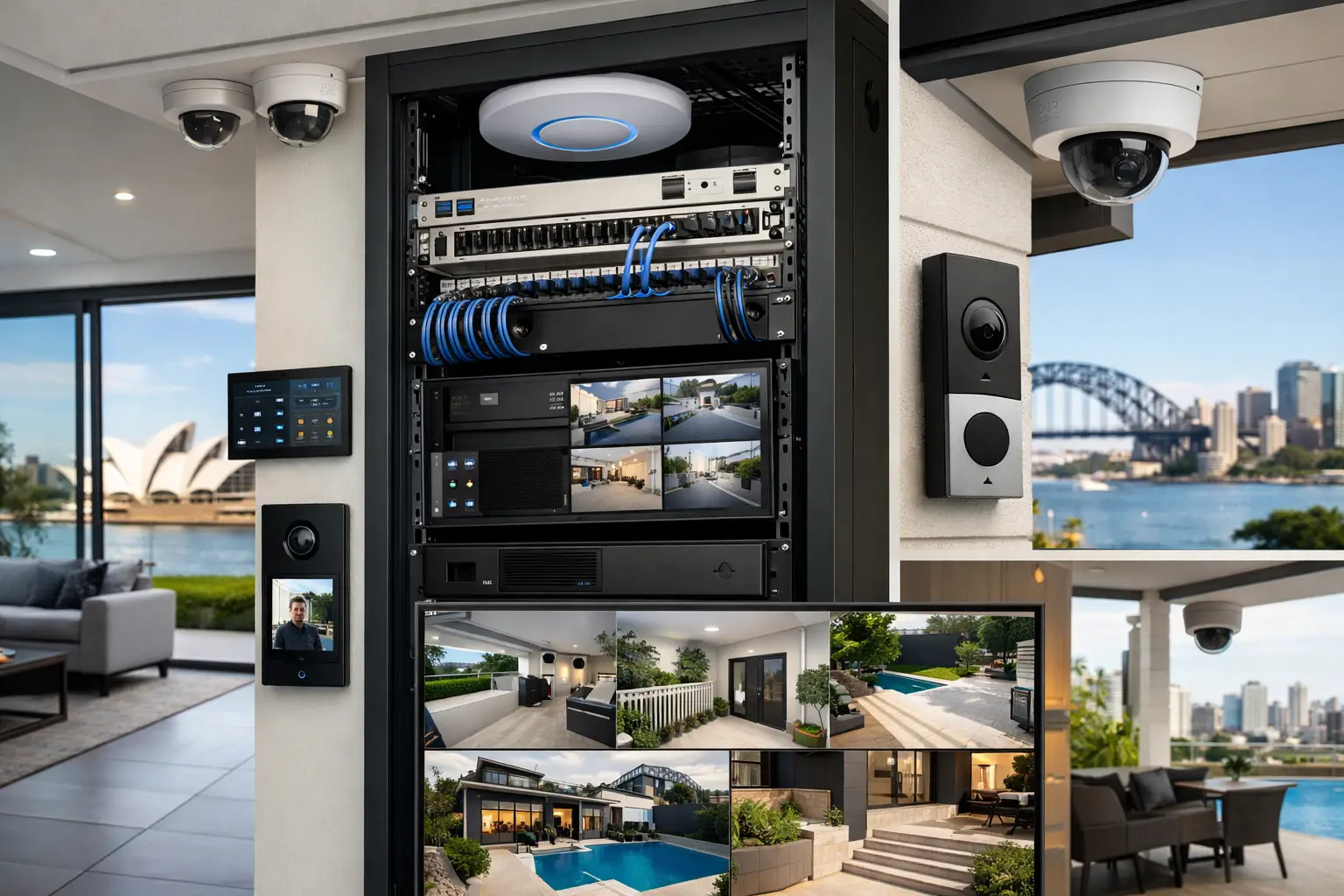
A good smart home stops feeling “smart” the moment you need three apps to turn on the lights, check the cameras, and open the gate. That is usually where home assistant installation Sydney becomes less about gadgets and more about system design. When Home Assistant is planned properly, it can bring lighting, HVAC, CCTV, alarms, intercoms, audio visual, and energy management into one reliable interface that actually suits the way a property is used.
For homeowners, builders, and commercial clients, that matters because the real value is not the dashboard itself. It is the ability to make separate technologies work as one coordinated environment. In practice, that means the front gate can trigger intercom actions, exterior lighting can respond to occupancy or schedules, cameras and alarms can feed useful status into the same control layer, and the network underneath can support all of it without becoming the weak point.
What home assistant installation Sydney should really include
Home Assistant is often described as a flexible automation platform, which is true but incomplete. Flexibility is only useful when it is backed by stable infrastructure, sensible integration choices, and a clear plan for how the client wants to live or operate in the space.
A professional installation should start with the systems that matter most to the property. In a residence, that might be lighting scenes, security status, garage and gate control, climate, and Apple device integration. In a commercial site, the priority may shift toward access control visibility, after-hours lighting automation, camera events, energy usage, and remote management. The platform can support both, but the design approach should not be identical.
That is one of the biggest differences between a serious installation and a pieced-together setup. Home Assistant can integrate with a wide range of technologies, but not every integration is equally suitable for every building. Some devices are excellent for monitoring but limited for control. Others work well on paper but create maintenance issues later. The right outcome depends on choosing platforms that are proven, supportable, and aligned with the rest of the electrical and network design.
Start with infrastructure, not the dashboard
The interface gets attention because it is the visible part of the system. The infrastructure is what determines whether it stays dependable.
Reliable home assistant installation Sydney projects usually begin with structured cabling, quality switching, strong Wi-Fi design, and clean power planning. If a property has patchy wireless coverage, overloaded consumer networking gear, or poorly documented device connections, automation problems are almost guaranteed to show up later as random dropouts or delayed actions. Those issues are often blamed on the software when the actual problem sits in the network.
That is why integrated providers tend to look at the whole stack. A UniFi network, for example, may provide the visibility and management needed to support cameras, intercoms, mobile devices, and automation traffic across the site. Properly planned cabling also gives critical devices a more stable connection than wireless-only deployments. In larger homes and commercial environments, this is not a luxury. It is part of making the system usable every day.
Electrical design matters too. Smart lighting, relay control, sensor placement, and switch selection all affect what Home Assistant can do cleanly. If those choices are made early, the result is usually better than trying to force automation onto a finished property with no allowance for infrastructure.
Where Home Assistant works best
Home Assistant is at its best when it acts as the coordination layer between specialist systems, rather than pretending to replace them all.
For example, a high-quality CCTV system should still be a proper CCTV system. The same goes for alarms, intercoms, and access control. Bosch, Dahua, Hikvision, Akuvox, Apple HomeKit, DALI-2 lighting, and other established platforms all have strengths in their own categories. Home Assistant adds value by bringing useful data and control together in one place, creating better workflows across the property.
That might mean a residential evening mode that checks whether doors are secured, adjusts selected lighting circuits, confirms garage status, and sets climate preferences from one action. In a strata or commercial setting, it could mean combining schedules, occupancy logic, common-area lighting states, and selected security notifications into a practical operational view. The benefit is not complexity for its own sake. It is fewer friction points in daily use.
There are trade-offs, though. Not every feature from every manufacturer belongs in one interface. Sometimes the best design is a hybrid approach where users keep native apps for deep administration but rely on Home Assistant for daily control and automation. That tends to produce a cleaner, more reliable experience than trying to force every advanced setting into a single front end.
Home Assistant and Apple Home are not the same thing
This is where many projects either become elegant or frustrating.
Apple Home is excellent for familiar control, voice access, and a polished user experience across iPhone, iPad, and Apple Watch. Home Assistant offers broader integration logic, deeper customization, and far more control over how systems interact. In the right installation, they complement each other well.
A client may want Home Assistant to handle the serious automation engine while Apple Home remains the simple everyday interface for selected devices and scenes. That approach can work extremely well for households that want flexibility in the background without turning daily use into an IT project. The platform choice is not always either-or. Often it is about deciding what each layer should do.
For that reason, professional planning matters. If the property owner wants an Apple-first experience, the installation should be designed around that expectation from the beginning. If the site needs more advanced logic, reporting, or cross-platform integration, Home Assistant can carry more of the load. The answer depends on the people using it, not just the technology itself.
Retrofit versus new build
New builds offer the cleanest path because cabling, switching, equipment locations, rack design, and lighting control can all be coordinated early. This gives Home Assistant a stronger foundation and usually leads to better long-term serviceability. It also makes it easier to integrate security, AV, intercoms, Wi-Fi, and smart lighting as one planned environment instead of as separate trades working in isolation.
Retrofit projects can still deliver excellent results, but priorities need to be sharper. In an existing home, you may choose the highest-value control points first, such as lighting zones, gate and garage integration, alarm status, camera notifications, and climate scheduling. Wireless devices may play a role where cabling is impractical, but the design should stay disciplined. A retrofit works best when the installer understands where wireless is acceptable and where hardwired infrastructure is worth the investment.
That is especially relevant in Sydney properties, where building styles, renovations, and mixed old-to-new construction can create unusual constraints. The right solution often comes from balancing ambition with what the site can support cleanly.
Why professional commissioning matters
A Home Assistant system is not finished when the devices appear on a screen. It is finished when the automations behave predictably, the interface is usable, failover scenarios have been considered, and the client knows how to operate the system without guesswork.
Commissioning should include naming conventions that make sense, room-based organization, sensible user permissions, tested automation logic, and clear separation between critical controls and nice-to-have features. It should also account for maintenance. Firmware updates, equipment replacement, and future expansion all become easier when the original installation is documented and structured properly.
This is where an integrated company has a practical advantage. When the same provider understands electrical work, networking, security, lighting control, and automation, the system tends to be more coherent from the start. Alpha Security Corp approaches these projects as connected environments rather than isolated installations, which is exactly how Home Assistant delivers the most value.
Choosing the right outcome, not the longest feature list
The best home assistant installation Sydney projects are rarely the ones with the most automations. They are the ones that remove daily friction, improve visibility, and stay dependable over time.
For one client, that may mean elegant control of lighting, shades, climate, and media in a new residence. For another, it may mean integrating alarms, CCTV, access control, and network-aware automation into a commercial site with clear operational benefits. Both are valid, and both require restraint as much as technical skill.
A useful system should feel calm. Lights respond the way you expect. Security status is easy to check. Core controls stay available. Expanding the system later does not require starting from scratch. That is the standard worth aiming for, and it starts with design decisions that respect the property, the infrastructure, and the people who will rely on it every day.
If you are considering Home Assistant, think less about how many devices can be connected and more about which systems should work together. That is usually where the better project begins.


