



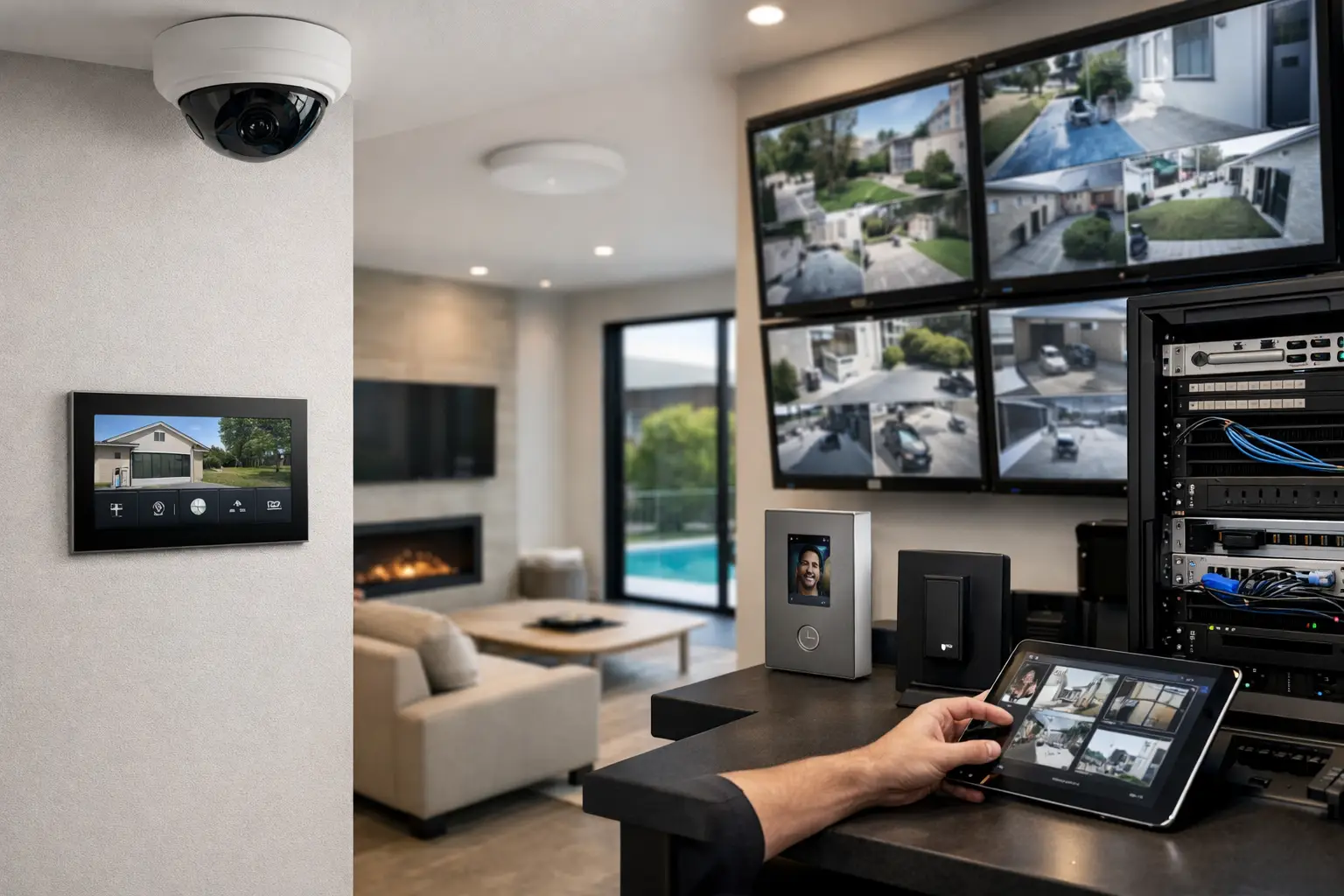
Most security problems at home do not come from a lack of devices. They come from disconnected decisions. A camera system gets added after the build, the alarm is installed by someone else, Wi-Fi struggles to reach the garage, and smart lighting ends up on a separate app from everything else. This integrated home security system guide is for property owners who want a system that works as one practical environment, not a stack of isolated products.
For a modern home, security is no longer just a siren and a few sensors. It sits alongside networking, access control, lighting, intercoms, automation, and the electrical infrastructure that supports them. When these systems are planned together, they become easier to use, more reliable day to day, and far more adaptable when the property changes.
What an integrated home security system actually includes
A properly integrated setup usually starts with core security components: intrusion detection, CCTV, and monitored alerts where required. But that is only the foundation. In a well-designed home, the front gate or door station may tie into an intercom platform such as Akuvox, cameras may trigger lighting scenes, and the alarm may arm specific zones while leaving parts of the home active for overnight occupancy.
Networking is also part of the security conversation, not a separate afterthought. If IP cameras, intercoms, remote access, and mobile control all run across weak consumer-grade Wi-Fi, the user experience suffers quickly. Structured cabling, correct switch capacity, VLAN planning where appropriate, and dependable wireless coverage from platforms such as UniFi all have a direct effect on security performance.
Then there is control. Some homeowners want Apple Home integration for familiar everyday operation. Others need the flexibility of Home Assistant to coordinate more advanced logic across multiple subsystems. Neither approach is automatically better. The right choice depends on how much customization, visibility, and long-term expansion the property requires.
Integrated home security system guide for planning the right foundation
The biggest planning mistake is choosing devices before defining the property’s actual use. A family home with regular deliveries, housekeepers, teenagers, and pool access needs different logic from a minimalist apartment or a large new build with detached structures. Good design starts with movement patterns, entry points, occupancy schedules, perimeter risks, and how the occupants want to interact with the system every day.
For example, if you regularly use a side entrance from the garage, that path should feel as considered as the front door. If the home has gates, outbuildings, a plant room, or a home office with sensitive equipment, those areas should be designed into the system from day one. Security works best when it reflects real behavior rather than forcing the household into awkward routines.
Electrical planning matters here too. Power provision for PoE devices, backup requirements, cabinet space, surge protection, and pathways for future cabling all shape what is possible later. On high-spec projects, leaving these details unresolved until late in construction often leads to visible compromises or reduced functionality.
New builds versus retrofits
New builds have the advantage of access. It is easier to run cable, position devices cleanly, and coordinate alarms, CCTV, intercoms, and smart lighting before walls are closed. That does not mean every project needs maximum complexity. It means the infrastructure can be sized properly so the system remains flexible.
Retrofits require a different mindset. The goal is not to force a new-build design into an existing home. It is to identify where wired reliability matters most, where wireless options are suitable, and how to preserve aesthetics while improving coverage, control, and security outcomes. A smart retrofit is usually more selective and more strategic.
The systems that should work together
CCTV and alarms are the obvious pair, but integration becomes more valuable when related systems start sharing useful actions. If a perimeter camera identifies activity after hours, selected exterior lighting can respond. If the front intercom is answered remotely, a gate or strike can be released with event tracking. If the alarm is armed away, nonessential lighting scenes can switch off and key doors can move into a more secure mode.
This is where product selection matters. A camera with strong image quality but poor integration options may not fit a broader project. The same applies to access control, intercoms, and automation platforms. Brands such as Bosch, Dahua, Hikvision, Akuvox, UniFi, Apple HomeKit, Home Assistant, DALI-2, and Zen Control each have strengths, but the right combination depends on the property and on the operational outcome you want.
A family focused on simple daily use may prioritize clear mobile control, reliable notifications, and a small number of polished automations. A larger home may need stronger subsystem coordination, more advanced logic, and easier serviceability. Integration is not about connecting everything because you can. It is about making each system more useful because it knows when and how to interact.
Lighting as a security layer
Lighting is often underused in residential security design. It should not just turn on at random or flood the property whenever a sensor trips. With DALI-2 lighting control and well-planned scenes, exterior pathways, entries, and vulnerable edges of the home can respond intelligently to occupancy, schedules, or verified events.
That gives homeowners better visibility while preserving comfort and presentation. It also avoids the common problem of harsh, poorly timed lighting that annoys occupants and neighbors. In integrated design, lighting supports security without making the house feel like a warehouse.
Why networking determines whether the system feels professional
If there is one hidden differentiator between a polished installation and a frustrating one, it is the network. Cameras dropping offline, delayed doorbell calls, failed remote access sessions, and unstable app control are frequently blamed on the device in front of the user. In reality, the issue often sits behind the wall.
A dependable home security environment needs proper switching, power budgeting, coverage design, and sensible segmentation. Hardwired backbones for key devices are still the standard for reliability. Wireless has a place, especially in retrofits, but it should be used deliberately rather than by default.
This is also why integrated providers bring real value. When the same project includes security, structured cabling, electrical work, and network design, there is less finger-pointing between trades and fewer hidden weak links. Alpha Security Corp’s approach is built around that principle: practical systems designed to work as one, rather than separate installations that happen to share the same address.
Choosing the right level of automation
Automation should reduce friction, not create another troubleshooting hobby. The best integrated homes usually have a small number of well-defined actions that genuinely improve daily life. Arriving home after dark might disarm a selected area, bring on pathway lighting, and present camera views or door access options. Leaving the property might arm the alarm, confirm door status, and turn off nonessential AV and lighting zones.
The trade-off is that more automation usually means more planning. Apple Home can be excellent for straightforward control and a familiar user experience. Home Assistant can go much deeper, especially where different ecosystems need to be coordinated with custom logic. But advanced flexibility also demands careful commissioning and support. The right answer depends on whether the client values simplicity, customization, or a balance of both.
Questions worth asking before you install
A good security design conversation should cover more than device counts. Ask how alerts will be filtered so important events are not buried in noise. Ask whether camera placement supports identification rather than just general coverage. Ask what happens if internet service fails, whether backup power is needed, and how future additions such as gates, detached garages, or solar-related monitoring might affect the design.
Also ask who is responsible for the entire outcome. On integrated projects, that matters. If one contractor handles alarm devices, another handles intercoms, another installs Wi-Fi, and another tries to connect automation afterward, the homeowner often inherits the gaps between them.
A practical standard for a better home security outcome
The best home security systems are not the ones with the longest feature list. They are the ones people use confidently every day. Doors respond properly, notifications make sense, camera footage is available when needed, lighting supports the environment, and the network quietly does its job in the background.
That is the real purpose of integration. It gives security context, reliability, and room to grow with the property. If you are planning a new build, a renovation, or a serious upgrade, treat security, networking, lighting, access, and automation as one design problem early on. The result is almost always cleaner, more capable, and much easier to live with.


